There’s a very specific kind of design hell that UK B2B SaaS teams walk into when a sales director announces: “We’ve landed a white-label deal. Can you just swap out the logo and change the colours?” The answer is technically yes. The better question is whether your design system was ever built to support it. In most cases, it wasn’t. And that’s what white label SaaS dashboard design in the UK has quietly become in 2026: a structural problem dressed up as a branding request.
I’ve spent a fair amount of time pulling apart multi-tenant dashboard architectures, both at the design token level and in Figma component libraries, and the patterns that separate teams who cope from teams who spiral into duplication nightmares are pretty consistent. This is what actually works.

Why most SaaS design systems aren’t white-label ready out of the box
The problem usually starts at the colour layer. A team builds a design system around a single brand: one primary palette, one set of semantic colour names, one font stack. Everything works beautifully until tenant two shows up with a completely different brand identity, different primary colours, and a typeface that isn’t Inter. Suddenly you’ve got a choice: fork the entire component library, or retrofit a theming layer that the system was never designed to accommodate.
The fork path is where most teams end up, and it’s slow, expensive, and creates ongoing maintenance debt every time a core component changes. If you’ve got six tenants and three engineers, forking is how you spend your entire sprint cycle keeping six slightly different versions of a button component in sync. No one wants that.
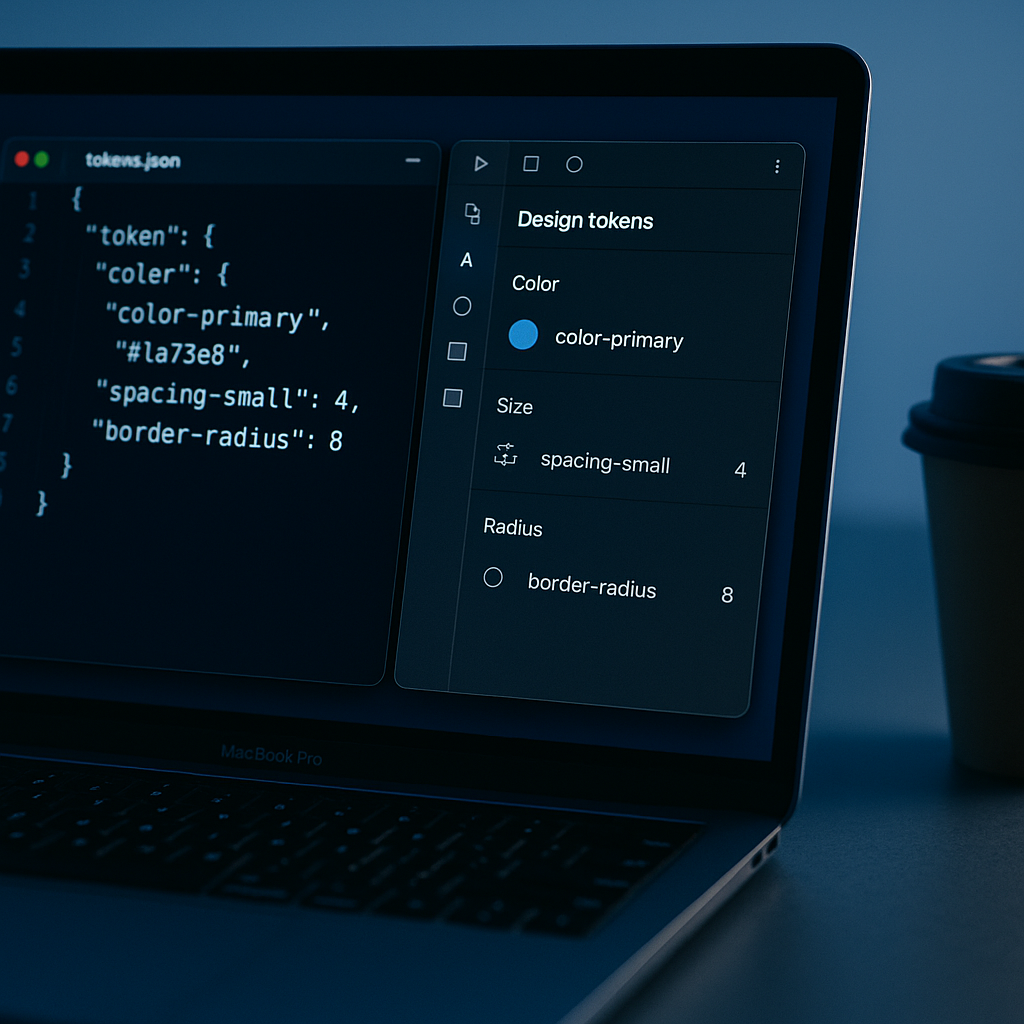
The better path is design tokens, specifically a three-tier token structure that separates raw values, semantic meaning, and component-level application. This isn’t a new idea, but the W3C Design Tokens Community Group‘s draft specification has given it enough formal grounding that it’s worth implementing properly now rather than cobbling something together.
The three-tier token structure that makes multi-brand manageable
Tier one is your primitive tokens: raw values with no meaning attached. colour-blue-500: #2563EB. That’s it. No context, no semantic weight. Just a value in your design system’s vocabulary.
Tier two is semantic tokens. These reference primitives but give them meaning: colour-brand-primary: {colour-blue-500}. This is where the tenant swap actually happens. When tenant B comes in with their own brand colour, you’re changing only this layer. Tier three is component tokens, which reference semantic tokens: button-background-colour: {colour-brand-primary}.
What this means practically: swapping a tenant’s brand requires changing roughly 15 to 30 semantic tokens. Not 400 individual component properties. I’ve seen UK fintech teams get a new tenant’s dashboard looking correct in under two hours using this structure properly. Without it, the same job takes days and breaks something unrelated every time.
This also connects nicely to the work I’d recommend reading on icon systems in UK product design, because icon colour inheritance is one of the sneakier places where teams hardcode values instead of pulling from semantic tokens, and it creates silent inconsistencies the moment you apply a tenant theme.
Figma component strategies for multi-tenant dashboards
Figma’s variables system (now properly mature after a rocky 2024 rollout) is the most practical way to manage multi-tenant theming at the design stage. The approach that works: one base component library, one set of variable collections per tenant, and a simple variable swap to preview any tenant’s brand in the same file.
Set up your variable collections to mirror your three-tier token structure exactly. Primitives collection, semantic collection, component collection. When onboarding a new tenant, you’re creating a new semantic collection that maps to different primitives, and that collection swap is all it takes to see the entire dashboard re-skin in Figma. This matters beyond aesthetics: it means your handoff documentation is always correct, because the component specs are pulling live values from the right collection rather than being annotated by hand.
One thing I’d flag specifically for UK B2B contexts: accessibility compliance. The WCAG 2.2 guidance on GOV.UK is increasingly being referenced by enterprise procurement teams when evaluating SaaS products, especially in public sector adjacent markets. When a tenant swaps their brand colours in, your semantic token structure needs to preserve contrast ratios, which means building contrast validation into your token system, not treating it as an afterthought. Figma’s built-in contrast checker helps here, but I’d also run token exports through a script that validates WCAG AA thresholds automatically before a new tenant theme goes live.
Logo swapping and asset management across tenants
Logo swapping sounds like the easy part. It’s not, because logos aren’t just image files, they carry implicit sizing assumptions, clear space requirements, and colour mode variants that most teams don’t standardise. A tenant hands you their logo as a 2MB PNG with a white background and you’re suddenly in a conversation about SVG conversion and dark mode variants that no one budgeted for.
The pattern that saves time: define a logo slot specification upfront. Decide the maximum and minimum dimensions, require SVG with transparent background, specify which colour modes need variants (light background, dark background, monochrome), and document this as an onboarding requirement for every tenant. This turns an ad-hoc request process into a predictable intake checklist. It also means your Figma library has a proper logo component with defined constraints rather than a free-floating image that someone will inevitably resize incorrectly.
Typography is the other asset dimension people underestimate. If your product uses a licensed typeface, you cannot simply apply it to a white-label tenant without checking the licence covers redistribution and sub-licensing. I covered the landscape of usable typefaces in some depth in the piece on open source font pairing for UK web design, and that’s genuinely worth reading if you’re specifying fonts for a multi-tenant product, because the safe defaults there are exactly the ones that won’t land you in a licence dispute when a tenant insists on their brand typeface.
Building the dashboard layout layer that works for every tenant
Theming handles colour and typography. Layout is a different layer entirely, and it’s where white-label dashboards often feel slightly wrong even when the colours are correct. The issue is density assumptions baked into the layout that suit one type of user but not another.
If your SaaS product serves both a small UK accounting firm and a large property management group, the data they want to see on their dashboards is different, the density they’re comfortable with varies, and the navigation hierarchy that makes sense for one makes no sense for the other. Token-based theming solves the brand problem; what solves the layout problem is a modular panel architecture where tenants can configure which panels are visible without requiring you to build a custom layout per client.
This is really a product decision as much as a design one, but the Figma implication is worth spelling out: build dashboard layouts using an auto-layout grid of configurable panel components rather than fixed-position screens. Each panel is self-contained. A tenant configuration sets which panels are active. The design system handles spacing and sizing tokens. You never hardcode a dashboard layout in a static frame again. It’s a bit more upfront work, maybe two or three additional sprints to build the panel abstraction properly, but it makes every subsequent tenant onboarding genuinely faster.
The same thinking applies to accessibility across different user demographics. If you’re building for tenants whose end users skew older, the considerations I wrote about in the piece on designing for older users in UK product teams become tenant-level configuration concerns: default font size tokens, touch target size tokens, reduced motion preferences. These are all design token decisions, which means a well-structured system can accommodate them per-tenant without forking the component library.
When to build this properly vs. when to ship something scrappy
Not every white-label deal justifies a full three-tier token refactor. If you’ve got one tenant, a simple CSS variable override at the root level might be genuinely sufficient. But if your sales pipeline has more than two potential white-label clients, and especially if those clients are enterprise contracts where your product will be embedded in their internal tools under their brand, the upfront investment in a proper token architecture pays back within the first two onboardings. The maths isn’t complicated.
The UK B2B SaaS market in 2026 is structurally pushing more products toward multi-tenancy. Procurement consolidation, budget pressure, and the growth of platform-first business models all mean your product is more likely than ever to end up underneath someone else’s logo. Building a design system that handles that gracefully isn’t a nice-to-have, it’s table stakes for products that want to scale.