

The British Sign Language Act 2022 recognised BSL as a language of England, Wales and Scotland, and ministerial government departments now have to report on how they promote and facilitate its use. That duty lands on Whitehall, not on your start-up. But the ripple effect reaches every product team that sells to the public sector or serves the public at all. Good BSL accessible app design UK teams can be proud of is still rare, because most apps treat Deaf BSL users as a captions problem. The ONS 2021 Census recorded roughly 87,000 people in England and Wales using BSL as their main language. Captions alone do not serve them.
Does the BSL Act 2022 apply to my app?
The BSL Act 2022 places its reporting duty on ministerial government departments, not on private companies or app developers. Your legal exposure comes from elsewhere: the Equality Act 2010 requires service providers to make reasonable adjustments, and public bodies are bound by the Public Sector Bodies Accessibility Regulations 2018. If you supply software to a department, a council or the NHS, expect procurement questions about BSL to start appearing. You can read the Act itself on legislation.gov.uk.
So the Act is less a rulebook for you than a signal. The state has formally recognised BSL as a language, and the interfaces that talk to the public are expected to follow.
Is WCAG enough for BSL users?
WCAG is not enough for BSL users, because it treats sign language as an optional extra. Success Criterion 1.2.2 (captions for prerecorded video) is Level AA, so most teams meet it. Criterion 1.2.6, which asks for sign language interpretation of prerecorded audio, is Level AAA, so most teams never look at it.
Here is the nerdy bit that matters. BSL is not English on the hands. It has its own grammar, word order and regional variation. For many Deaf people English is a second language, so an English caption track is a translation they have to read, not their first language. Reading-level guidance (Criterion 3.1.5) is also Level AAA. Compliance can pass an audit while the actual user bounces off a wall of idiom-heavy microcopy.
How do you design BSL video inside an app?
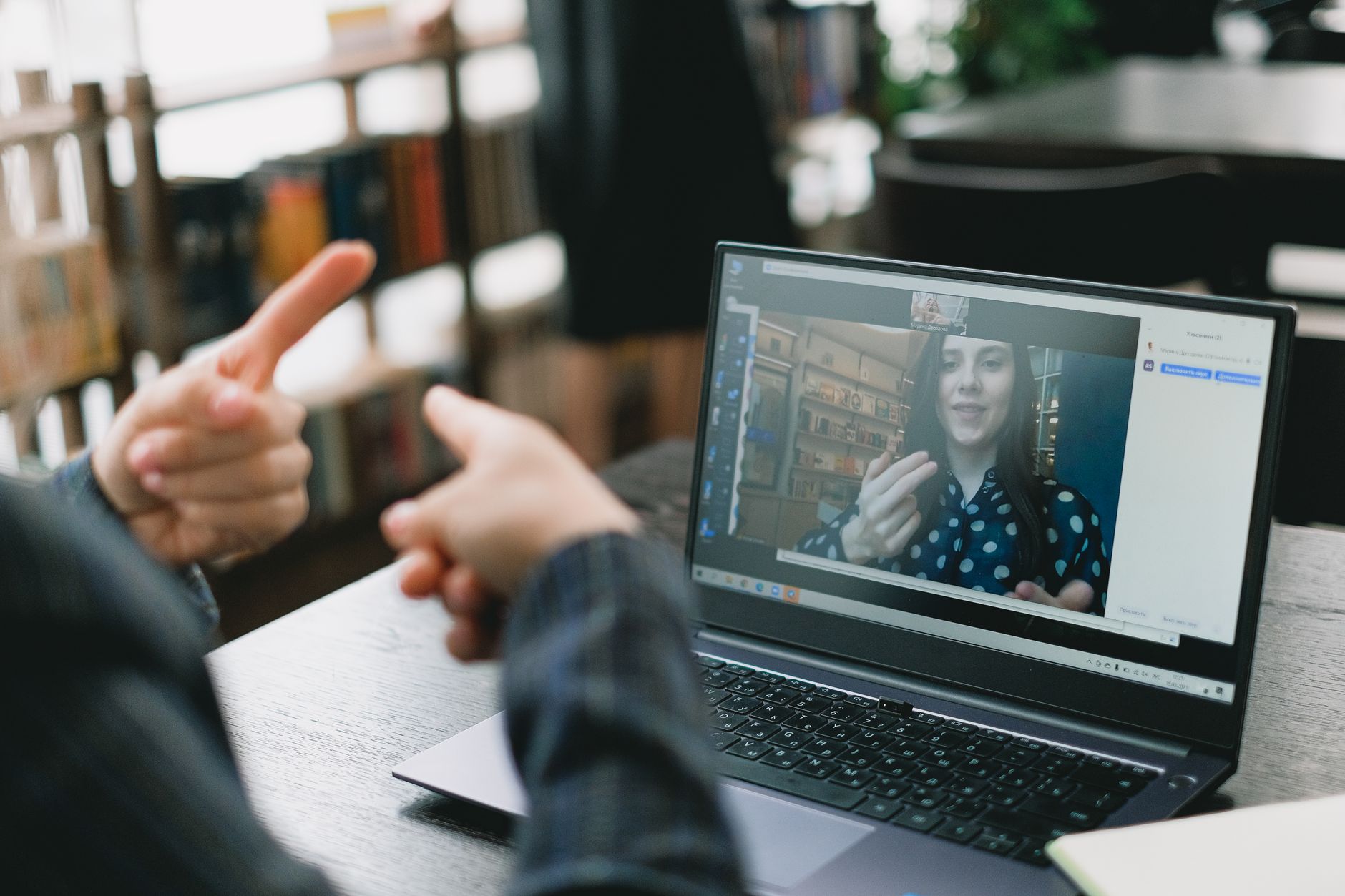
BSL video works when the signer is the content, not a decoration, so design the player around hands, face and torso. A few specifics:
- Frame properly. Show the signer from roughly the waist up with room for arm movement, a plain background and clothing that contrasts with skin tone. Facial expression carries grammar in BSL, so it must stay legible.
- Protect frame rate and bitrate. Heavy compression smears fast hand movement into mush. Prioritise motion clarity over a pretty 4K background.
- Give playback controls. Replay-last-ten-seconds, speed control and a resizable window are small features with a big payoff.
- Keep captions separate. Offer a caption toggle that works independently of the signed video, and a plain-English text version too.
- Avoid avatars. Computer-generated signing avatars are widely criticised by Deaf communities for losing facial grammar and nuance. Use human, ideally Deaf, translators.
Video is also heavy. If your signed help content stalls on a weak mobile signal, it might as well not exist, so the thinking in our piece on offline-first apps applies directly: let people download key signed guidance in advance.
What interface patterns matter beyond video?
The patterns that matter most are the ones that quietly assume everyone can hear. Audit your app for them:
- Sound-only feedback. Every alert, confirmation or error needs a visual and, where useful, a haptic equivalent.
- Phone-only support. A contact page that lists one telephone number is a closed door. Offer video relay or a BSL video-call option such as a service like SignVideo, plus chat and email.
- Audio-only verification. Voice-call identity checks are a classic fintech and utilities failure. Provide a visual route with equal security.
- Video call layouts. If your app hosts calls, let users pin the signer and the interpreter, and never switch the main view based on who is making sound. Active-speaker detection is useless when the speaker is silent and signing.
- Split-screen layouts. Let signed video sit beside the content it explains, such as a form or a contract, in a draggable picture-in-picture window that works in landscape on a phone.
- Plain English microcopy. Short sentences, no idioms, one idea per line. It helps BSL users and everyone else.
Visual clarity works hand in hand with this. If your colour choices already fail people with colour vision deficiency, the fixes in our guide to accessible palettes will also make visual alerts more reliable for Deaf users who depend on them.
How do you test with BSL users properly?
Test by working with Deaf BSL users, paying them for their time, and running sessions in BSL with a qualified interpreter or a Deaf-led team. Running a usability test in English and then asking a hearing colleague what they think is not testing at all.
The same applies to content. Commission translations from qualified BSL translators, ideally Deaf-led agencies, rather than a hearing staff member with a Level 2 certificate. Regional signs vary across the UK, so check that your translation suits your audience and, if it does not, say which variety you used.
My practical advice for a first sprint: pick the three flows where a failure costs your user money or access to a service, such as sign-up, payment and support. Commission BSL translations of those three, add visual alternatives for every sound cue, and book a paid session with Deaf users before you ship. That is a weekend of planning and a small budget, and it beats a WCAG badge that no Deaf user has ever checked.
Frequently Asked Questions
Is British Sign Language the same as English?
No. BSL is a separate language with its own grammar, syntax and regional variation, and it is not English expressed through the hands. Many Deaf BSL users learn English as a second language, so English-only text can be a real barrier.
Does WCAG require sign language video?
Only at the highest level. WCAG Success Criterion 1.2.6 asks for sign language interpretation of prerecorded audio, but it is Level AAA, which most legal and procurement standards do not mandate. Meeting AA means captions, not BSL.
Can signing avatars replace human BSL translators?
Not at present, in the view of most Deaf community organisations. Computer-generated avatars struggle with facial expression, mouth patterns and spatial grammar, which carry meaning in BSL. Human translators, ideally Deaf, remain the safer choice.
Do I have to add BSL to my app by law?
The BSL Act 2022 does not require private companies to add BSL. However, the Equality Act 2010 requires reasonable adjustments, and public sector clients may ask for BSL provision in procurement, so it is worth planning for.

Leave a Reply