Figma’s pricing has crept up year on year. GitHub’s free tier comes with caveats. Google Analytics 4 remains a GDPR headache that most UK studios are quietly sweating over. If you’ve been running a small design or development practice and watching your SaaS subscriptions quietly devour your margin, there’s a genuinely viable escape hatch: self-hosting your core stack on a UK-based virtual private server. This guide walks through how to self host design tools on a UK VPS, specifically Penpot (your Figma replacement), Gitea (your GitHub replacement), and Plausible (your GA4 replacement), with enough technical detail to actually get you moving.
The total monthly outlay for a mid-spec VPS from a UK provider like Mythic Beasts, Memset, or Hetzner’s UK edge nodes typically runs between £8 and £25 depending on RAM. Compare that to Figma’s Organisation tier at roughly £40 per editor per month, GitHub Team at around £3.50 per user, and GA4’s 360 tier when you outgrow the free limits. The maths tilts hard in favour of self-hosting once you have more than two or three people on a team.
Choosing Your UK VPS Provider
Where your server physically lives matters for two reasons: latency for your UK team, and data residency under UK GDPR. The ICO’s guidance is clear that personal data should remain in jurisdictions with adequate protections, and keeping it on UK soil is the simplest way to stay compliant without writing a lengthy transfer impact assessment.
For this walkthrough, assume a VPS with 4GB RAM, 2 vCPUs, and 80GB SSD storage. That comfortably runs all three services simultaneously. You’ll want Ubuntu 24.04 LTS as your base OS, Docker and Docker Compose installed, and a domain with DNS pointing at your server’s IP. Nginx will act as a reverse proxy in front of everything, with Let’s Encrypt handling SSL via Certbot.
Once your VPS is provisioned, update the system and install Docker:
Penpot is the open-source design and prototyping tool from the Spanish studio Kaleidos. It’s browser-based, handles vector work and component libraries, and supports real-time collaboration. It won’t do everything Figma does, but for most UI design workflows it’s genuinely solid. The ICO would be pleased: no data leaving your server.
Penpot ships an official Docker Compose configuration. Grab it:
mkdir ~/penpot && cd ~/penpot
wget https://raw.githubusercontent.com/penpot/penpot/main/docker/images/docker-compose.yaml
wget https://raw.githubusercontent.com/penpot/penpot/main/docker/images/config.env
Open config.env and set the PENPOT_PUBLIC_URI to your subdomain, something like https://design.yourdomain.co.uk. Also set PENPOT_FLAGS to include enable-registration initially so you can create your admin account, then flip it to disable-registration afterwards. Run it:
docker compose -f docker-compose.yaml up -d
Penpot binds to port 3449 by default. Your Nginx config for this subdomain should proxy to that port, with SSL terminated at the Nginx layer. Once Certbot has issued your certificate and you’ve reloaded Nginx, your design.yourdomain.co.uk should show the Penpot login screen. Create your admin account, invite your team, and you’re running a fully functional self host design tools UK VPS setup in under an hour.
Deploying Gitea as Your Private Git Host
Gitea is a lightweight, self-hosted Git service written in Go. It’s fast, it uses minimal resources, and it has a web interface that feels close enough to GitHub that your team won’t mutiny. It handles repositories, issues, pull requests, webhooks, and CI integration with Gitea Actions.
Create a compose file at ~/gitea/docker-compose.yml:
SQLite works fine for teams under about 20 users. If you’re running something bigger, swap to PostgreSQL. The SSH port mapping (222:22) means your team will push with git remote add origin ssh://[email protected]:222/yourorg/repo.git. Nginx proxies HTTP traffic on port 3000 under its own subdomain. Run docker compose up -d, navigate to the web installer at your subdomain, and configure your instance. Disable public registration immediately.
Installing Plausible Analytics
Plausible is the privacy-first, GDPR-compliant analytics tool that’s been winning converts from Google Analytics for a few years now. The self-hosted version is functionally identical to the cloud product. For UK studios with clients asking about cookie banners and data processing agreements, hosting Plausible on your own UK VPS means the conversation becomes dramatically simpler: the analytics data never leaves your infrastructure.
According to the ICO’s UK GDPR guidance, analytics tools that collect personal data without consent require explicit opt-in. Plausible’s cookieless approach sidesteps most of this entirely, but self-hosting adds another layer of confidence for clients.
Clone the Plausible hosting repo:
git clone https://github.com/plausible/community-edition ~/plausible
cd ~/plausible
cp plausible-conf.env.example plausible-conf.env
Edit plausible-conf.env. Set BASE_URL to your analytics subdomain, generate a SECRET_KEY_BASE using openssl rand -base64 48, and configure your SMTP details for email verification. Then:
docker compose up -d
Plausible runs on port 8000. Nginx proxy config follows the same pattern as the others. Once it’s live, embed the lightweight tracking script (<script defer data-domain="yourclient.co.uk" src="https://analytics.yourdomain.co.uk/js/script.js"></script>) in your clients’ sites and you’re collecting privacy-respecting, UK-hosted analytics.
Nginx Reverse Proxy Config Pattern
Each service follows the same Nginx block structure. Here’s the template:
Replace PORT with 3449 for Penpot, 3000 for Gitea, and 8000 for Plausible. Run sudo certbot --nginx -d service.yourdomain.co.uk for each subdomain. Certbot will modify the block automatically to include the certificate paths. Reload Nginx after each one.
Backups and Maintenance
Self-hosting means you own the failure. Set up a daily cron job to dump Docker volumes to a compressed archive and rsync it off-server to a separate UK storage bucket or a second VPS. Mythic Beasts and Bytemark (now part of IONOS UK) both offer object storage with UK data residency. A backup that lives on the same physical host as your data is not a backup.
Docker image updates are the other recurring task. A monthly docker compose pull && docker compose up -d across all three services keeps you on current releases without much fuss. Subscribe to the Penpot, Gitea, and Plausible release channels on their respective Git hosts so you catch security patches promptly.
The total monthly compute bill for this three-service stack on a decent UK VPS sits somewhere around £12 to £20. For a small studio of four or five people, you’re almost certainly saving north of £100 per month compared to the equivalent SaaS tiers, and you’ve got full data sovereignty to boot. The setup overhead is a few hours, and the maintenance overhead is genuinely low once it’s running.
The Office for National Statistics is not a design studio. Nobody working there is chasing a Awwwards nomination or obsessing over whether their typeface feels “premium”. And yet, if you spend time actually reading through ONS data visualisations, you start to notice something genuinely impressive: these charts communicate extraordinarily well. They are sober, functional, and designed with a discipline that most commercial dashboard teams never achieve. That is worth pulling apart.
This is not a fan letter. There are real weaknesses in the ONS approach, and I’ll get to them. But the core methodology behind their data visualisation design is a masterclass in restraint, and restraint is the hardest thing to teach a designer who has spent three years in Figma making things look beautiful.
Why the ONS chart style is so readable (even when the data is horrible)
The first thing you notice looking at ONS charts is the absence of noise. No gradients. No 3D extrusions. No decorative gridlines. The chart area is clean to the point of feeling almost spartan, and that is not an accident. Their house style explicitly prioritises clarity over aesthetics, which sounds obvious but is remarkably rare in practice.
Their bar charts use a restrained palette: typically one primary colour for the main data series, with muted secondary tones for comparison series. The ONS colour set leans heavily on accessible combinations. They use a mid-blue as a workhorse colour, which sits well on both white and off-white backgrounds, and has solid contrast ratios for users with colour-vision deficiency. A lot of commercial dashboards still use red-green pairings for comparison metrics. The ONS almost never does this, because a meaningful percentage of the population cannot distinguish those colours reliably.
The typography choice is equally deliberate. Their publications use a clean sans-serif across chart labels, axis annotations, and source attributions. The hierarchy is strict: title at the top, subtitle directly beneath it, axis labels smaller and lighter, source line at the bottom in a noticeably reduced size. There is never any ambiguity about what you are supposed to read first. That reading order matters enormously when the data is genuinely complex, like age-stratified mortality statistics or regional employment breakdowns.
The colour palette decisions that data visualisation design uk ons charts gets right
Colour in data visualisation is one of those areas where designers consistently over-engineer things. The temptation is to build a ten-colour categorical palette because it feels comprehensive. The ONS approach keeps categorical colours to a sensible minimum, typically no more than six distinct values on a single chart, and when the data requires more categories than that, they restructure the chart rather than add more colours.
This is actually the correct answer, and most teams reach it too late, after building a twelve-colour legend that nobody can parse at a glance.
Their sequential palettes for choropleth maps (the regional breakdown maps you see for things like median household income or broadband coverage) use single-hue progressions, typically moving from a pale tint to a saturated anchor. This is textbook perceptual uniformity. The human visual system processes luminance gradients more reliably than hue shifts, so a light-to-dark single colour reads as a continuous scale far more intuitively than a rainbow palette. The ONS gets this right by default. A huge number of Local Authority and NHS data dashboards still use rainbow gradients in 2026, which is genuinely baffling.
Where the ONS approach has genuine gaps
Right. Enough praise. There are real criticisms to make.
Interactivity is sparse. The static chart approach works brilliantly for published reports and press releases, but the ONS digital presence has been slow to adopt genuinely exploratory visualisation. Their datasets are enormous and often the most interesting insights live in the sub-groups: age cohorts, regional splits, occupational categories. A well-built interactive chart could surface those without requiring a user to download a 40MB Excel spreadsheet. Tools like Observable Plot or D3.js could handle this elegantly. Some ONS pages now include simple chart builders, but the experience still feels like an afterthought compared to, say, what the Financial Times graphics team produces.
Responsiveness is another weak point. Many ONS chart embeds were designed for desktop screens and degrade awkwardly on mobile. Given that mobile accounts for a substantial share of web traffic across the board, a chart whose axis labels overlap at 375px width is simply not finished. This is a common problem across government digital estates, but it matters more for the ONS because their data is genuinely in the public interest.
And annotation. The ONS occasionally adds annotation to charts for major events (a shaded region for the pandemic period, a labelled inflection point for a policy change), but this is inconsistent. Annotation is arguably the most powerful tool in data storytelling. Telling the reader why a spike exists turns a confusing chart into a coherent argument.
What to actually steal for your own UK data dashboard
If you are building a dashboard for a UK public sector client, a fintech, or any product that has to make complex data legible to non-specialists, here is what I would take directly from the ONS playbook.
First: commit to a maximum of five categorical colours. Pick them based on contrast ratios and colour-vision accessibility, not because they match your brand guidelines. Your brand team will survive.
Second: use a strict typographic hierarchy with no more than three size levels across a chart. Title, axis labels, and source attribution. If you need a fourth level, the chart is probably too complicated.
Third: strip the gridlines back to horizontal-only for bar and line charts. Vertical gridlines rarely add information and almost always add visual weight. The ONS rarely uses them, and their charts are better for it.
Fourth: when your data has a natural comparison period (pre-pandemic vs post-pandemic, pre-Brexit vs post-Brexit trade figures), use a subtle background band to mark that period rather than relying on the user to cross-reference dates. The ONS does this consistently and it genuinely aids comprehension.
Fifth, and this is the big one: design for the worst-case reader, not the best-case reader. The ONS writes for a journalist filing a story at speed, a policy analyst who has fifty tabs open, and a curious member of the public who has never read a statistics bulletin before. All three need to extract the key finding within about ten seconds. If your dashboard only works for someone who already understands the domain, it is not doing its job.
The practical upshot for designers working with data
There is a quiet revolution happening in UK product teams around data literacy. More designers are expected to understand chart types, know when a line chart is wrong for the data they have, or recognise that a pie chart with seven segments is functionally useless. The ONS charts, for all their limitations, are a free masterclass in applied data visualisation design. They are public documents, they cover every chart type in common use, and they have been iterated over decades with a clear mandate to communicate reliably rather than impress.
Go look at them properly. Not to screenshot something pretty, but to study why something works. Then bring that rigour back to whatever dashboard you are building, and watch how much cleaner it gets when you stop trying to make it look clever.
Frequently Asked Questions
What chart types does the ONS use most often in their data visualisations?
The ONS relies heavily on line charts for time-series data, bar charts for categorical comparisons, and choropleth maps for regional breakdowns. They tend to avoid pie charts and 3D charts, which is consistent with established data visualisation best practice.
How do I make my data dashboard accessible to colourblind users?
Use single-hue sequential palettes for continuous data and limit categorical palettes to colours that differ in both hue and luminance. Tools like the Colour Contrast Analyser (free from the Paciello Group) can check your combinations. Avoid red-green pairings entirely.
Is the ONS data visualisation approach suitable for commercial or private sector dashboards?
The core principles, restraint in colour, strict typographic hierarchy, and clean chart areas, translate directly to commercial contexts. You may need to incorporate brand colours, but the structural decisions the ONS makes are universally applicable.
What tools do UK design teams typically use to build data dashboards?
Common choices include Tableau, Power BI, and Looker for business intelligence dashboards, and D3.js or Observable Plot for bespoke web-based visualisations. Figma is widely used for prototyping chart layouts before building in code.
How many colours should a data visualisation use?
Most data visualisation experts recommend a maximum of five to six distinct categorical colours per chart. Beyond that, the legend becomes too complex to parse quickly and the visual differentiation between series breaks down, particularly on small screens.
JavaScript is brilliant until it isn’t. You’re three components deep into a design system, passing tokens around, and suddenly a prop that was supposed to be a colour hex string is undefined at runtime and your whole button component goes blank in production. Sound familiar? TypeScript exists precisely to prevent that specific category of misery. If you’re a UK freelancer who designs and builds your own components but has always bounced off TypeScript docs written for enterprise backend engineers, this is the piece I wish had existed when I started.
This isn’t a theoretical exercise. We’re going through the concepts that actually matter for building UI work, typed props, design tokens, component interfaces, and skipping the rest. There’s no need to understand generics at a deep level to ship better, safer front-end code. Let’s prove that.
Why TypeScript Keeps Coming Up in UK Freelance Briefs
A quick look at job boards and freelance platforms in the UK confirms what most of us have quietly noticed: TypeScript has stopped being a “nice to have” and started appearing as a baseline requirement. Whether it’s a Bristol-based SaaS startup or a London agency scope, the brief increasingly says TypeScript. The Stack Overflow Developer Survey has had TypeScript as one of the most wanted languages for several consecutive years, and UK freelance rates for TypeScript-comfortable devs are noticeably higher than those for pure JavaScript work.
The reason it matters specifically for designer-developers is less about catching logical bugs and more about self-documentation. When you’re the only person on a project (or handing off to a client’s internal team six months later), typed components tell the next person exactly what a component expects. That’s not just good engineering; it’s good design thinking applied to code.
The One Mental Model That Makes TypeScript Click
Stop thinking of TypeScript as a separate language. It’s JavaScript with annotations you write for your future self. At build time, those annotations are stripped out entirely. The browser never sees them. What you’re doing is describing the shape of your data so the editor (VS Code, in almost every case) can warn you when you’ve given a component the wrong thing.
Think of it like a Figma component with defined properties. In Figma, you specify that a button has a variant property that accepts primary, secondary, or ghost. You can’t just type any random value in there. TypeScript does exactly the same thing in code. The concept is genuinely identical; the syntax is just different.
Typing Design Tokens: The Best First Project
If you’re working with a design token system (and in 2026, you really should be), TypeScript earns its keep immediately. Consider a colour token file. In plain JavaScript, there’s nothing stopping you misspelling brand.primry instead of brand.primary and only finding out at runtime. In TypeScript:
Now if you try to access colours.primry, VS Code underlines it in red before you’ve even saved the file. For a freelancer working alone without a QA team, that’s an enormous catch rate improvement for almost zero extra effort.
Typing React Component Props (This Is the Big One)
Most of the TypeScript a designer-developer actually needs lives in one place: component props. Here’s a typed button component that covers the vast majority of real-world cases:
A few things worth unpacking here. The question marks after property names like variant? mean optional. Without a question mark, TypeScript will force you to pass that prop every time you use the component. The union type 'primary' | 'secondary' | 'ghost' is exactly like a Figma constrained property. Pass anything else and TypeScript complains. You’ll notice this maps precisely to the kind of variant logic that comes out of a design system.
The interface vs type Debate (Short Answer: Don’t Stress It)
You’ll see both interface and type used to describe the shape of objects, and people on the internet argue about this endlessly. For UI component work, the practical difference is negligible. I tend to use interface for component props because it reads slightly more like a Figma component definition, and type for unions like ButtonVariant. That’s a personal preference, not a rule. Either works. Pick one and be consistent within a project.
Working with Design Tokens From Figma and Tokens Studio
If your workflow involves Tokens Studio for Figma exporting tokens as JSON, TypeScript becomes genuinely powerful. You can type the entire token structure and get autocomplete across your whole codebase. Import the JSON, cast it to a typed interface, and every token reference is now checked. This is the workflow that makes typescript for designers uk freelance 2026 relevant beyond just passing a code interview; it actively speeds up your component-building process.
Tokens Studio exports to a JSON structure. A small TypeScript utility file that types that structure means your spacing.md or colour.background.subtle tokens are autocompleted in every component file. No more digging back into Figma to check exact token names. Your editor knows them all.
Setting Up TypeScript in a New Project (The Quickest Path)
If you’re starting fresh with a Vite + React project (the sensible 2026 choice for most freelance UI work), it’s a single flag:
That gives you a TypeScript-ready project with a tsconfig.json already configured sensibly. Don’t touch the tsconfig until you need to. The defaults are fine for component work. Avoid the trap of spending an afternoon tuning compiler settings before you’ve written a single component. Get a typed button built first. Tune later, if ever.
Adding TypeScript to an existing JavaScript project is slightly more involved, but still manageable. The TypeScript docs have a migration guide, and for most freelance projects the approach of renaming .jsx files to .tsx one at a time (rather than all at once) keeps the project shippable throughout the transition. You can run TypeScript in allowJs: true mode while you migrate gradually, which means you’re not blocked from deploying while you work through it.
When TypeScript Gets Annoying (And What to Do About It)
Honestly, there are moments. Typing event handlers in React can feel verbose at first. Third-party libraries occasionally have incomplete type definitions. If you hit a wall and genuinely cannot work out the correct type, as unknown as YourType is the escape hatch. Use it sparingly, note it in a comment, and revisit it later. It’s not cheating; it’s pragmatic. The goal for a freelancer working on UI components isn’t TypeScript purity, it’s shipping good work faster with fewer runtime surprises.
The @types ecosystem covers most popular libraries. If you’re using a library and TypeScript doesn’t know its types, a quick npm install @types/library-name --save-dev usually solves it. The TypeScript official site has solid docs for looking up specific patterns when you get stuck.
The short summary for anyone dipping into typescript for designers uk freelance 2026 work: the learning curve is shorter than it looks from the outside, the payoff in editor feedback is immediate, and it makes your design systems significantly more robust to hand off. Type your tokens, type your props, and let the compiler catch the typos that would otherwise cost you a debugging hour at 11pm before a client deadline.
Frequently Asked Questions
Do I need to know TypeScript to get freelance design-developer work in the UK in 2026?
Increasingly yes, at least at a basic level. Many UK agency and SaaS briefs list TypeScript as a requirement or strong preference, and freelancers comfortable with it command noticeably higher day rates. You don’t need deep expertise, but knowing how to type component props and design tokens puts you ahead of most JavaScript-only candidates.
What's the difference between TypeScript and JavaScript for building UI components?
TypeScript is JavaScript with added type annotations that describe the shape and type of your data. For UI components, this means you declare exactly what props a component accepts and what values are valid. At build time, TypeScript strips those annotations out, so the browser runs plain JavaScript. The benefit is purely in the editor and build step, where you catch errors before they reach production.
How long does it take to learn enough TypeScript to be productive on freelance projects?
For a JavaScript-comfortable developer focusing on UI work, a weekend of focused learning, typing props, design tokens, and basic interfaces, is enough to be genuinely productive. Full fluency takes longer, but the 20% of TypeScript that covers 80% of component-level work is quite approachable.
Can I use TypeScript with Figma design tokens exported from Tokens Studio?
Yes, and it works very well. Tokens Studio exports JSON token files which you can import into your codebase. By creating a TypeScript interface that matches the token structure, you get full autocomplete and error-checking on every token reference across your project. It’s one of the most immediately useful applications of TypeScript for designer-developers.
Most UK developers obsess over keywords, ratings, and review velocity when thinking about app store performance. Fair enough, those things matter. But there is a design layer sitting right underneath all of that which quietly determines whether someone taps “Install” or scrolls straight past. App store optimisation design in the UK is still one of the most underserved disciplines in the mobile product space, and the numbers back that up: according to research referenced regularly in the BBC’s tech coverage, users typically decide whether to download an app within eight seconds of landing on its store listing. Eight seconds. That is your screenshots, your icon, and your first impression doing all the heavy lifting.
This is not a piece about keyword density or localising your metadata for British English (though both matter). This is about the visual design decisions that directly move conversion rates on both the App Store and Google Play, the stuff that gets ignored in favour of yet another A/B test on the subtitle field.
Designer reviewing app store optimisation design UK layouts across multiple monitors in a modern studio
Why Your App Icon Is Doing More Work Than You Think
The icon is the first visual element a user encounters across search results, featured placements, and the home screen itself. Yet a surprising number of British indie developers and even some mid-sized studios treat it as an afterthought, something slapped together once the product is “finished”. That is backwards. An icon communicates brand personality, legibility at tiny sizes (29px in some contexts), and genre expectation all at once. A poorly rendered icon signals “this app might not be polished” before the user reads a single word of your description.
Practically speaking, the highest-performing icons in 2026 tend to do two things well. First, they use bold, simple shapes with strong contrast, detailed illustrations collapse into mud at 60px. Second, they avoid the temptation to include the app name inside the icon itself, which almost always makes things worse. Test your icon at the sizes Apple and Google actually render it, not just the 1024×1024 export sitting in your Figma file.
Screenshots: The Most Underestimated Conversion Asset in App Store Optimisation Design UK
Screenshots are not documentation. They are advertising. The distinction sounds obvious but the design implications are significant. On the App Store, users in the UK browse in portrait mode by default for iPhone listings, meaning your first two or three screenshots are visible without tapping, those are your prime conversion real estate. On Google Play, the feature graphic sits above screenshots on the store listing and acts as a hero banner. Both deserve proper design attention.
The pattern that consistently outperforms raw UI screenshots is the “caption plus context” approach: overlay a short benefit-led headline onto the screenshot, show the device frame, and sequence the screenshots to tell a story rather than dump features. Think of it as a micro sales funnel inside the listing itself. Screenshot one establishes the core value proposition. Screenshot two demonstrates a specific capability. Screenshot three handles an objection or reinforces a trust signal. By screenshot five or six, you are reaching the already-interested user, so you can go deeper.
Colour consistency across screenshots also matters more than most people assume. When a user swipes through a visually incoherent screenshot sequence, the subconscious read is “this product was not designed with care”. Establish a colour palette for your store creative that complements (but is not necessarily identical to) your in-app UI, and stick to it.
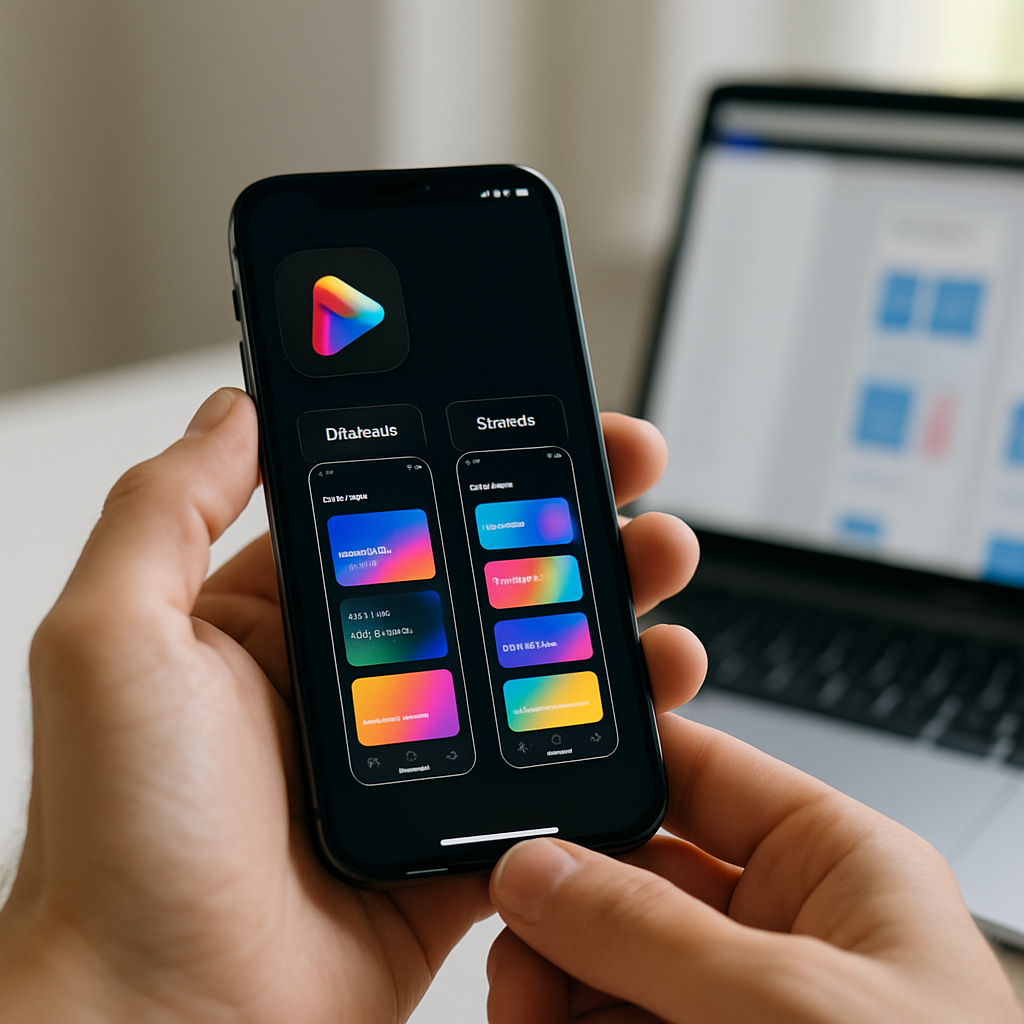
Close-up of smartphone showing app store optimisation design UK screenshot layout
Preview Videos: Worth the Effort, But Only If You Get the First Three Seconds Right
App preview videos autoplay silently in both the App Store and Google Play. Silent. That single fact changes everything about how you should approach them. Text overlays, motion graphics, and snappy visual cuts are not optional extras, they are the entire communication strategy. Voiceover is nice to have for the subset of users who unmute; it should not be load-bearing.
The research on preview video performance suggests a clear pattern: conversions lift when the first three seconds show the product in action, not a brand ident or animated logo sequence. UK developers building in competitive categories like fintech, fitness, or productivity face crowded listings, a slow-burn intro is a fast route to a skip. Open on the thing that makes your app interesting. Everything else follows.
Keep preview videos between 15 and 30 seconds. Anything longer and you are fighting attention spans that simply are not there on a store listing. Apple caps previews at 30 seconds for a reason.
The Google Play Feature Graphic (And Why UK Devs Keep Ignoring It)
If you publish on Google Play and your feature graphic is a stretched version of your icon on a gradient background, you are leaving conversion rate on the table. The feature graphic (1024x500px) appears prominently on the listing page and in some Google Play editorial placements. It is essentially a billboard.
Treat it like one. Use it to reinforce your app’s core promise with a strong visual hierarchy: one dominant image or illustration, a short headline if you have space, and brand colours that feel intentional. The feature graphic is particularly important for UK developers targeting Google’s Editors’ Choice placements, editorial teams at Google Play actually look at creative quality as part of featuring decisions.
How Conversion Rate Connects Back to Search Visibility
Here is where the visual design story gets interesting from a pure performance standpoint. Both Apple Search Ads and Google Play’s algorithm factor in conversion rate when determining how often your app surfaces for a given keyword. An app with a higher install-to-impression ratio earns better organic placement. Better placement means more impressions. More impressions (with a good conversion rate) means more installs. The flywheel is real, and it starts with visual quality.
This link between visual presentation and discoverability is not unlike what happens with websites. Just as on-page credibility signals affect how domains perform in organic search, your app’s store creative affects how the algorithm weights your listing. UK-based tool Search Engine Tuning offers a free SEO check for your website at searchenginetuning.co.uk, and the underlying logic it applies to domains and Google search performance maps neatly onto how store listings earn visibility. If your conversion signals are weak, no amount of keyword work fully compensates. Getting a handle on how to check your SEO and your store creative together gives you a more complete picture of your discoverability stack across both web and app surfaces.
The parallel is worth sitting with. On Google, domains with poor user engagement metrics see suppressed rankings even with strong backlink profiles. On the App Store and Google Play, apps with poor visual conversion signals see suppressed category and search placement even with strong keyword coverage. The mechanism differs; the principle is identical.
Running Visual A/B Tests Without Going Mad
Both platforms offer native A/B testing for store creatives. Apple calls theirs Product Page Optimisation; Google Play calls it Store Listing Experiments. Both are genuinely useful, both are underused by UK developers, and both require some patience, you need statistically meaningful traffic before conclusions are reliable, which for smaller apps can take several weeks.
The practical advice here: test one element at a time. Icon versus icon, screenshot set A versus screenshot set B. Changing multiple variables simultaneously makes it impossible to know what actually moved the needle. Start with your icon if you have not touched it in over a year, because that single asset affects impression-to-tap rate across every touchpoint where your app appears. Then move to screenshots. Then consider the preview video.
For developers working on UK-focused apps, anything from local service directories to council-linked utilities to British sports apps, there is also the question of cultural specificity in your store creative. UK users notice when screenshots feel generic or American. British idiom in caption text, familiar UI contexts (NHS-adjacent colour palettes for health apps, recognisable British street scenes for local apps), and culturally appropriate imagery all contribute to a conversion signal that feels trustworthy rather than imported.
Pulling It All Together
App store optimisation design in the UK is genuinely a craft discipline. It draws on brand identity, copywriting, motion design, and conversion rate optimisation simultaneously. The developers and studios doing it well are the ones who treat the store listing as a designed product in its own right, not an afterthought generated from leftover UI assets.
Worth noting: the same mindset that drives smart store creative, analysing what users respond to, iterating based on data, treating visibility as an engineered outcome rather than luck, applies equally well to web presence. Services like Search Engine Tuning, which specialise in helping UK businesses check their SEO and understand how google surfaces their domains via a free SEO check, reflect the same rigour that good ASO design demands. If you are shipping apps and running a web presence alongside, keeping both sides of your discoverability picture sharp is increasingly non-negotiable.
Pick one asset to redesign this week. Not because it is a small task, but because it is a high-leverage one. Visual quality compounds.
Frequently Asked Questions
What is app store optimisation design and how is it different from regular ASO?
Regular ASO tends to focus on keywords, ratings, and metadata. App store optimisation design specifically refers to the visual assets on your store listing, icons, screenshots, preview videos, and feature graphics, and how they are designed to maximise conversion rate. It is a distinct discipline that sits at the intersection of graphic design, brand identity, and conversion rate optimisation.
How much can better screenshots actually improve my app's download rate?
Case studies from developers using Apple’s Product Page Optimisation tool regularly report conversion rate lifts of 15 to 40 percent from screenshot redesigns alone, though results vary significantly by category and audience. Even a modest 10 percent improvement compounds meaningfully when multiplied across hundreds of thousands of impressions. The first two screenshots visible in portrait browse mode typically have the largest individual impact.
Do App Store and Google Play have different visual requirements I need to design for?
Yes, meaningfully so. The App Store uses portrait screenshot orientation for iPhone by default, with preview videos capped at 30 seconds. Google Play prominently features a 1024x500px feature graphic at the top of the listing, which Apple does not have an equivalent of. Icon dimensions and safe zone guidelines also differ between platforms, so designing separate assets rather than repurposing one set across both is strongly advisable.
How does visual conversion rate affect my app's search ranking in the App Store?
Both Apple and Google factor conversion rate into their search and browse ranking algorithms. An app that converts a higher proportion of impressions into installs is rewarded with better placement in search results and category listings. This creates a direct link between visual design quality and organic discoverability, poor store creative suppresses ranking even when keyword coverage is strong.
How long does it take to see results from redesigning my app's store visuals?
If you are running native A/B tests through Product Page Optimisation or Google Play Store Listing Experiments, expect to need at least two to four weeks of data for statistically reliable results, longer if your app has lower traffic volumes. Organic impact from a live redesign (without a formal test) can show up in conversion metrics within a week, though isolating the visual change from other variables is harder without a controlled experiment.
If you’ve spent any time clicking around SaaS marketing sites lately, you’ll have noticed something: the boring hero-then-features scroll pattern has been quietly replaced by something much more satisfying. Chunky, asymmetric card grids. Feature callouts arranged like compartments in a Japanese lunch box. Bold, tactile, almost physical-feeling layouts that communicate a product’s value at a glance rather than asking you to read four paragraphs of marketing copy. That’s bento grid UI design, and it has properly taken hold in 2026.
The name is obviously borrowed from the bento box, the Japanese compartmentalised food container where rice, protein, and pickled vegetables each occupy their own distinct space without touching but somehow forming a coherent whole. As a metaphor for UI layout, it’s almost annoyingly apt. Each grid cell holds one idea, one feature, one stat. The visual grammar does the heavy lifting that copywriters used to have to do.
Bento grid UI design UK style shown on desktop monitor in modern studio workspace
Why Bento Grid UI Design Works So Well Visually
There’s actual cognitive science behind why this layout pattern feels good to look at. Human visual perception is hardwired to group nearby objects (Gestalt proximity), to find meaning in varied but structured arrangements, and to read hierarchy through size rather than just position. Bento grids exploit all three simultaneously. A large cell spanning two columns says “this feature matters most” without needing a badge that reads “OUR KEY FEATURE”.
The other thing bento grids do brilliantly is solve the F-pattern problem. Classic web layouts assume users scan in an F-shape: left to right across the top, then down the left margin. Bento grid layouts break that assumption intentionally. The eye bounces. It follows size, colour, and weight rather than a predictable path. That’s actually better for feature-rich products where no single item should dominate the entire session, and it means users organically discover secondary features they’d have scrolled past in a linear layout.
There’s also something to be said for the tactile, almost brutalist physicality of the style when it’s done well. Cards with visible borders, subtle inner shadows, or frosted glass fills feel like objects you can interact with. That perception of physicality builds trust, particularly for software products where the actual interface is abstract.
How to Build a Bento Grid in CSS (Without Losing Your Mind)
CSS Grid is the obvious tool here, and frankly it was almost designed for this pattern. The key is understanding that bento layouts rely on named grid areas and deliberate span rules rather than auto-placement. Here’s a foundational starting structure:
The gap value is more important than most people treat it. Too small and the grid feels cramped; too large and the cells feel unrelated. Something between 1rem and 1.5rem tends to hit the sweet spot for SaaS marketing contexts. For product dashboards, tighter gaps (0.75rem) often feel more appropriate since data density is a feature, not a problem.
Responsive behaviour is where bento grids get interesting. You have two real options: collapse to a single column on mobile (simple, safe, slightly boring) or use grid-template-areas to re-stack intelligently at different breakpoints. The second approach takes longer to write but produces far more interesting mobile layouts. Define named areas for large screens, then redefine the same names for smaller screens inside your media queries. The semantic meaning stays consistent; only the geometry changes.
Developer coding a bento grid UI design in CSS on laptop in UK flat setting
One thing worth noting for accessibility: bento grids can cause reading order mismatches between the visual layout and the DOM order. Screen readers follow the DOM, not the visual grid. Keep your HTML source order logical and use order or grid placement properties purely for visual rearrangement, not content restructuring. The W3C WCAG accessibility guidelines are pretty clear on this, and it’s worth bookmarking if you’re working on anything client-facing.
Colour, Depth, and Card Styling That Makes It Sing
The visual success of bento grid UI design UK practitioners have found tends to rest on three card-level decisions: background treatment, border style, and interior content weight.
Background treatment is the biggest lever. Flat colour cards with a single accent card work cleanly and age well. Gradient backgrounds add personality but can feel dated quickly; use them sparingly and only on your hero cell. Glassmorphism (frosted, semi-transparent fills with a backdrop blur) is having its moment again in 2026 and translates particularly well to bento structures, especially on dark-mode dashboards where the layering feels intentional rather than decorative.
Borders deserve more attention than they usually get. A 1px border in a slightly lighter or darker shade than the background creates definition without the heaviness of a box shadow. Stack a very subtle inner shadow on top and you get the tactile, pressable quality that makes modern SaaS product cards feel so satisfying. Try box-shadow: inset 0 1px 0 rgba(255,255,255,0.08) on dark cards for an almost hardware-like highlight.
Interior content should feel purposeful and restrained. Big stat, small label. Product screenshot cropped tight. A single icon at larger-than-expected scale. Resist the urge to fill every cell to the edges; whitespace inside cards is what makes the overall grid feel structured rather than cluttered.
Which UK Tech Companies Are Doing Bento Right
British SaaS has quietly become one of the better places to spot excellent bento grid UI design. Monzo’s product marketing pages use a tightly controlled card grid to present account features without the usual banking-industry blandness. Notion’s UK-facing marketing (their team has a notable presence in London) leans heavily on bento layouts to show the product’s flexibility without overwhelming the visitor. Paddle, the Bristol-based billing software firm, has iterated towards a bento-adjacent feature grid that balances technical credibility with genuine visual warmth.
Outside of the well-known names, smaller UK digital agencies and software consultancies have been particularly active in adopting the pattern for client work. Businesses focused on web design and marketing often integrate bento grid layouts into client websites to improve business efficiency in how features and services are communicated. Mansfield, Nottinghamshire-based digital agency dijitul (dijitul.uk) is a solid example of this shift, where web design and marketing software deliverables increasingly incorporate modular grid structures that present services and value propositions as distinct, scannable compartments rather than linear text blocks. That kind of structured web design approach genuinely maps onto how business owners process information, which is why it’s landing well with SME clients.
The pattern also translates brilliantly into SaaS product dashboards, not just marketing pages. Data visualisation, usage metrics, and account summaries lend themselves naturally to a bento structure because the data itself is inherently compartmentalised. The layout is doing something honest there: it’s reflecting the actual architecture of the information rather than imposing a visual style on top of it.
Common Mistakes That Kill the Bento Aesthetic
Equal-sized cards arranged in a uniform grid are not a bento layout. That’s just a regular grid. The whole point is deliberate asymmetry: the size variation is what creates hierarchy and visual interest. If every card is 300px by 300px, you’ve built a tile floor, not a bento grid.
Overloading individual cells is the other failure mode. Each card should hold one idea. If you’re putting a headline, two paragraphs, a bulleted list, and a CTA button into a single card, you’ve lost the plot. Break it up. The constraint of the cell is the feature, not a problem to work around.
Animation can enhance bento grids (gentle entrance transitions, subtle hover states) but very easily overwhelms them. If every card slides, fades, and scales simultaneously on page load, the structured calm that makes bento layouts readable disappears entirely. Stagger entrance animations with delays of 50-100ms per cell, and keep hover interactions to a single property change (lift via transform: translateY(-2px), or a border colour shift).
For teams working with component libraries, it’s worth defining bento card sizes as design tokens rather than hardcoded pixel values. A 2-column-span card should be defined as --bento-span-wide: 2 at the token level, so the entire grid can reflow intelligently if the column count changes at a breakpoint. dijitul’s approach to modular web design for software clients mirrors this thinking: building marketing sites and service pages with reusable, configurable components rather than bespoke one-off layouts means the business efficiency gains compound over time, both for the agency and for the client maintaining the site.
Is Bento Grid Just a Trend, or Is It Here to Stay?
Honestly? Some form of it is permanent. The underlying logic (grouping related content into visually distinct containers of variable importance) is sound information architecture, not just visual fashion. What will change is the specific aesthetic treatment. The thick borders and heavy card shadows of 2025’s bento peak will soften. The colour palettes will evolve. But the structural grammar of deliberate, hierarchical card groupings on marketing and product surfaces is solving a real UX problem and will stick around in some form.
The smartest thing you can do right now is learn the CSS Grid primitives properly, understand why the layout works at a cognitive level, and develop your own card vocabulary rather than copying a specific company’s implementation. The tech is simple. The taste is what you develop over time.
Frequently Asked Questions
What is a bento grid UI design?
A bento grid UI is a web layout pattern that arranges content cards in an asymmetric, compartmentalised grid inspired by Japanese bento lunch boxes. Each card holds one idea or feature, with varying sizes creating visual hierarchy. It’s widely used on SaaS marketing pages and product dashboards.
How do I build a bento grid in CSS?
Use CSS Grid with explicit column and row spans on each card element. Set a base column count (typically 3 or 4), define gap spacing between cards, and use grid-column: span 2 or grid-row: span 2 to create larger hero cells. Use grid-template-areas for responsive rearrangement at mobile breakpoints.
Which UK SaaS companies use bento grid layouts?
Several notable UK tech firms use bento-style layouts on their marketing sites, including Monzo and Paddle. Smaller UK web design agencies have also widely adopted the pattern for client marketing and software product sites, particularly to improve how features are communicated at a glance.
Does a bento grid layout work on mobile?
Yes, with proper responsive handling. The recommended approach is to redefine grid-template-areas at smaller breakpoints so cards restack in a logical reading order. Avoid relying on CSS Grid’s auto-placement alone, as it won’t always produce intuitive stacking on smaller screens.
Is the bento grid trend just a design fad?
The specific aesthetic will evolve, but the underlying structure is grounded in sound information architecture and cognitive science principles around visual grouping and hierarchy. Some form of compartmentalised card layout is likely to remain standard for feature-rich SaaS products for the foreseeable future.
Raw data is boring. A spreadsheet of ONS broadband penetration figures or Ofcom spectrum usage statistics is about as gripping as a council planning notice. But bind those same numbers to a living, breathing SVG illustration and suddenly you have something people actually want to look at. That is the promise of reactive SVG data visualisation, and D3.js is the library that makes it properly possible without reaching for a bloated charting framework that hides all the interesting bits from you.
This article is a hands-on walkthrough. We are going to fetch real UK open data, parse it, and use D3 to bind it to SVG elements so the visuals respond dynamically to the figures. No toy datasets. No made-up numbers. Real data from sources the UK government and regulators actually publish.
Developer building a reactive SVG data visualisation UK project on a large monitor in a modern studio
Why SVG and D3 Instead of Canvas or a Chart Library?
Canvas is fast for pixel-heavy rendering. Chart libraries like Chart.js are quick to deploy. But neither gives you the fine-grained control that reactive SVG data visualisation demands when you want illustrations, not just bar charts. SVG is part of the DOM, which means every shape, path, and text node is queryable, styleable, and animatable with CSS. D3 exploits this completely.
The data join pattern at D3’s core (enter, update, exit) is genuinely elegant once it clicks. You tell D3 what data you have, what DOM elements should represent it, and what to do when data changes. The library handles the rest. It is declarative in the right places and imperative where you need control. I have used it on projects ranging from tiny inline sparklines to full-screen choropleth maps, and I keep coming back because nothing else gives you the same ceiling.
Getting Your UK Open Data: ONS and Ofcom
The Office for National Statistics publishes machine-readable datasets through its ONS API, which returns JSON in a fairly navigable structure. Ofcom releases its Connected Nations datasets as downloadable CSVs covering broadband coverage by local authority district. Both are genuinely free, regularly updated, and ideal for a reactive SVG project.
For this walkthrough we are using Ofcom’s Connected Nations data: specifically, the percentage of premises with access to gigabit-capable broadband by UK nation and region. It is a flat CSV, which means we can use D3’s built-in d3.csv() loader and avoid writing a custom parser.
import * as d3 from "https://cdn.jsdelivr.net/npm/d3@7/+esm";

const DATA_URL = "https://your-hosted-copy/ofcom-connected-nations.csv";

d3.csv(DATA_URL, d => ({
  region: d["Region"],
  gigabit_pct: +d["Gigabit capable (%)"],
  premises: +d["Total premises"]
})).then(data => {
  render(data);
});
Note the + coercion on the numeric fields. D3’s CSV parser returns strings by default. Skip that coercion and your scales will treat “84” as text, which produces spectacularly wrong output. Ask me how I know.
Building the SVG Container and Scales
The margin convention in D3 is worth following even when it feels ceremonial. It keeps your axes and labels inside the viewport without wrestling with overflow: visible hacks later.
Using viewBox instead of hard-coded pixel dimensions is non-negotiable if you want the illustration to be responsive. The SVG scales itself to the container, and your D3 coordinates stay consistent regardless of screen size. This is how reactive SVG data visualisation actually becomes reactive to viewport changes as well as data changes.
Close-up of D3.js code powering a reactive SVG data visualisation UK broadband chart on a laptop screen
Now the scales. For a horizontal bar chart of regional broadband coverage:
const x = d3.scaleLinear()
  .domain([0, 100])
  .range([0, width]);

const y = d3.scaleBand()
  .domain(data.map(d => d.region))
  .range([0, height])
  .padding(0.3);
scaleBand handles the spacing maths for categorical axes so you do not have to. The padding value of 0.3 adds 30% whitespace between bands, which visually separates the bars without making them hair-thin.
The D3 Data Join: Where the Reactive Magic Happens
This is the part that confuses people initially and then becomes the thing they explain excitedly to colleagues. The data join binds an array of data objects to a selection of DOM elements. Elements that do not yet exist go into the enter selection. Elements whose data has disappeared go into the exit selection. Everything in between is the update selection.
const bars = svg.selectAll("rect.bar")
  .data(data, d => d.region); // key function keeps transitions smooth

// Enter: create new bars
bars.enter()
  .append("rect")
  .attr("class", "bar")
  .attr("y", d => y(d.region))
  .attr("height", y.bandwidth())
  .attr("x", 0)
  .attr("width", 0) // start at zero for transition
  .attr("fill", "#4F46E5")
  .merge(bars) // merge with update selection
  .transition()
  .duration(800)
  .ease(d3.easeCubicOut)
  .attr("width", d => x(d.gigabit_pct));

// Exit: remove stale bars
bars.exit()
  .transition()
  .duration(400)
  .attr("width", 0)
  .remove();
The key function in .data(data, d => d.region) is critical for smooth transitions. Without it, D3 matches data to elements by index. With it, elements are bound by region name, so if you filter or reorder the dataset the bars animate to their new positions rather than snapping jarringly.
Making It Genuinely Reactive: Filtering and UI Controls
The real payoff of reactive SVG data visualisation comes when you wire up UI controls that change the underlying data and re-call the render function. Add a simple dropdown that filters by UK nation:
Each time the user changes the dropdown, render(filtered) runs with a new data array. D3 works out which bars need to be added, which need updating, and which need removing. You do not manually manipulate the DOM. That is the whole point.
Going Beyond Bar Charts: Binding Data to Illustrated SVG Paths
Bar charts are fine, but the really interesting territory is binding data to custom SVG illustrations, like a stylised map of the UK’s twelve regions, or an illustrated diagram of network infrastructure where path stroke-width encodes bandwidth figures.
The principle is identical. Load an SVG file (exported from Figma or Illustrator), inline it in your HTML, then use D3 to select specific paths by their id or data-region attributes and drive their visual properties from data. Colour fills from a sequential scale, opacity driven by coverage percentage, stroke animations that pulse for regions below a threshold: all of it is just attribute binding.
This approach turns a static SVG illustration into a living data artefact. Your designer exports a clean regional map from Figma. Your D3 code breathes data into it. The two disciplines talk to each other through attribute naming conventions agreed upfront. It is the kind of collaboration between design and dev that produces genuinely impressive output.
Performance and Accessibility Notes
A few things worth pinning to your monitor. First, ARIA labels. SVG is not inherently accessible. Add role="img" and aria-label to your SVG container, and use <title> and <desc> elements inside individual groups for screen readers. The Web Accessibility Initiative has clear guidance on SVG accessibility patterns.
Second, transitions look great but they are not free. If you are rendering several hundred elements, consider using d3.transition() with a shared timer rather than individual transitions, and cap your dataset size where the visual encoding stops being legible anyway. A choropleth with 400 regions is just noise.
Third, host your open data files yourself or proxy them. Fetching directly from government data portals in production is fragile; file structures change, URLs break, and there is no SLA. Pull the data into your own infrastructure on a schedule and serve it from there.
The Bottom Line on D3 and Open Data
Reactive SVG data visualisation using UK open datasets is one of those projects that teaches you an enormous amount in a short time. You learn D3’s join model. You learn how SVG coordinate systems actually work. You learn that ONS data is more useful than most developers realise. And you produce something genuinely worth showing in a portfolio, because it combines real public information with craft-level visual thinking. That combination is rare, and it shows.
The Ofcom and ONS datasets are updated regularly, which means a project you build this month stays relevant as new figures land. Wire it up to a scheduled data fetch, add a timestamp to your visualisation, and you have something that essentially maintains itself.
Frequently Asked Questions
What is reactive SVG data visualisation and how does it differ from a static chart?
Reactive SVG data visualisation means your SVG elements update dynamically when the underlying data changes, using a library like D3.js to bind data to DOM attributes in real time. A static chart is a fixed image or pre-rendered output; a reactive one responds to user input, data filters, or live data feeds without a page reload.
Where can I download free UK open datasets to use with D3.js?
The Office for National Statistics (ons.gov.uk) and Ofcom both publish machine-readable open datasets covering topics from broadband coverage to regional demographics. The ONS also provides a developer API that returns JSON, and Ofcom’s Connected Nations data is available as downloadable CSV files updated annually.
Do I need to know D3.js well to build reactive SVG illustrations, or can beginners start here?
D3’s data join pattern has a learning curve, so some JavaScript confidence is recommended before diving in. That said, the enter/update/exit model is well-documented and once it clicks, building reactive SVG visualisations becomes much more intuitive. Starting with a simple bar chart bound to a CSV is the fastest path to understanding it properly.
Can I import an SVG illustration from Figma and bind data to it using D3?
Yes, and this is one of the most powerful workflows available. Export your SVG from Figma, inline it in your HTML, and give key paths meaningful IDs or data attributes. D3 can then select those paths and drive their fill, opacity, stroke, or transform properties directly from your dataset.
How do I make D3 SVG visualisations accessible for screen readers?
Add role=”img” and an aria-label to the SVG container, and include a
element as the first child of the SVG for a short description. For more complex visuals, a <desc> element and aria-describedby attribute provide additional context. Avoid encoding critical information solely through colour, and ensure interactive elements are keyboard-navigable.</p>
<p><script type="application/ld+json">
{
"@context": "https://schema.org",
"@type": "FAQPage",
"mainEntity": [
{
"@type": "Question",
"name": "What is reactive SVG data visualisation and how does it differ from a static chart?",
"acceptedAnswer": {
"@type": "Answer",
"text": "Reactive SVG data visualisation means your SVG elements update dynamically when the underlying data changes, using a library like D3.js to bind data to DOM attributes in real time. A static chart is a fixed image or pre-rendered output; a reactive one responds to user input, data filters, or live data feeds without a page reload."
}
},
{
"@type": "Question",
"name": "Where can I download free UK open datasets to use with D3.js?",
"acceptedAnswer": {
"@type": "Answer",
"text": "The Office for National Statistics (ons.gov.uk) and Ofcom both publish machine-readable open datasets covering topics from broadband coverage to regional demographics. The ONS also provides a developer API that returns JSON, and Ofcom's Connected Nations data is available as downloadable CSV files updated annually."
}
},
{
"@type": "Question",
"name": "Do I need to know D3.js well to build reactive SVG illustrations, or can beginners start here?",
"acceptedAnswer": {
"@type": "Answer",
"text": "D3's data join pattern has a learning curve, so some JavaScript confidence is recommended before diving in. That said, the enter/update/exit model is well-documented and once it clicks, building reactive SVG visualisations becomes much more intuitive. Starting with a simple bar chart bound to a CSV is the fastest path to understanding it properly."
}
},
{
"@type": "Question",
"name": "Can I import an SVG illustration from Figma and bind data to it using D3?",
"acceptedAnswer": {
"@type": "Answer",
"text": "Yes, and this is one of the most powerful workflows available. Export your SVG from Figma, inline it in your HTML, and give key paths meaningful IDs or data attributes. D3 can then select those paths and drive their fill, opacity, stroke, or transform properties directly from your dataset."
}
},
{
"@type": "Question",
"name": "How do I make D3 SVG visualisations accessible for screen readers?",
"acceptedAnswer": {
"@type": "Answer",
"text": "Add role=\"img\" and an aria-label to the SVG container, and include a element as the first child of the SVG for a short description. For more complex visuals, a element and aria-describedby attribute provide additional context. Avoid encoding critical information solely through colour, and ensure interactive elements are keyboard-navigable."
}
}
]
}
</script></p>
</div>
<div style="margin-top:var(--wp--preset--spacing--40)" class="wp-block-post-date has-small-font-size"><a href="https://launchpad-design.co.uk/reactive-svg-data-visualisation-uk-d3-open-data/"><time datetime="2026-07-23T21:03:20+00:00">July 23, 2026</time></a></div></div>
</li><li class="wp-block-post post-198 post type-post status-publish format-standard has-post-thumbnail hentry category-design category-nerdy category-web-design tag-fca-consumer-duty-design tag-financial-promotion-rules-ui tag-fintech-ux-design-compliance tag-regulatory-ux-design tag-uk-fintech-product-design">
<div class="wp-block-group alignfull is-layout-flow wp-block-group-is-layout-flow" style="padding-top:var(--wp--preset--spacing--60);padding-bottom:var(--wp--preset--spacing--60)"><figure style="aspect-ratio:3/2" class="wp-block-post-featured-image"><a href="https://launchpad-design.co.uk/designing-fintech-interfaces-fca-regulatory-compliance-uk/" target="_self" ><img width="1024" height="1024" src="https://launchpad-design.co.uk/wp-content/uploads/2026/07/product-designer-reviewing-fintech-ux-design-compliance-on-m-1.png" class="attachment-full size-full wp-post-image" alt="Designing Fintech Interfaces for UK Regulatory Compliance: FCA Rules Every Product Designer Should Know" style="width:100%;height:100%;object-fit:cover;" decoding="async" loading="lazy" srcset="https://launchpad-design.co.uk/wp-content/uploads/2026/07/product-designer-reviewing-fintech-ux-design-compliance-on-m-1.png 1024w, https://launchpad-design.co.uk/wp-content/uploads/2026/07/product-designer-reviewing-fintech-ux-design-compliance-on-m-1-300x300.png 300w, https://launchpad-design.co.uk/wp-content/uploads/2026/07/product-designer-reviewing-fintech-ux-design-compliance-on-m-1-150x150.png 150w, https://launchpad-design.co.uk/wp-content/uploads/2026/07/product-designer-reviewing-fintech-ux-design-compliance-on-m-1-768x768.png 768w" sizes="auto, (max-width: 1024px) 100vw, 1024px" /></a></figure>
<h2 class="wp-block-post-title has-x-large-font-size"><a href="https://launchpad-design.co.uk/designing-fintech-interfaces-fca-regulatory-compliance-uk/" target="_self" >Designing Fintech Interfaces for UK Regulatory Compliance: FCA Rules Every Product Designer Should Know</a></h2>
<div class="entry-content alignfull wp-block-post-content has-medium-font-size is-layout-flow wp-block-post-content-is-layout-flow"><p>There is a version of product design that lives entirely in the aesthetic layer: beautiful gradients, satisfying micro-interactions, typography that makes you feel something. And then there is fintech UX design compliance, which lives in a much more interesting (and considerably more stressful) neighbourhood. In the UK, the Financial Conduct Authority has made it very clear that how you design a financial product is no longer a purely creative decision. It is a regulated one.</p>
<p>The FCA’s Consumer Duty rules, which came into full force in 2023 and have been actively enforced since, essentially bake good UX into law. If your interface obscures fees, buries risk warnings, or nudges users towards products that are not in their best interests, that is not just a design flaw. That is a compliance failure. For product designers working on UK fintech products in 2026, understanding this regulatory context is not optional. It is part of the job description.</p>
<figure class="wp-block-image size-large"><img loading="lazy" decoding="async" width="1024" height="1024" src="https://launchpad-design.co.uk/wp-content/uploads/2026/07/product-designer-reviewing-fintech-ux-design-compliance-on-m-1.png" alt="Product designer reviewing fintech UX design compliance on mobile interface screens in a London office" class="wp-image-196" srcset="https://launchpad-design.co.uk/wp-content/uploads/2026/07/product-designer-reviewing-fintech-ux-design-compliance-on-m-1.png 1024w, https://launchpad-design.co.uk/wp-content/uploads/2026/07/product-designer-reviewing-fintech-ux-design-compliance-on-m-1-300x300.png 300w, https://launchpad-design.co.uk/wp-content/uploads/2026/07/product-designer-reviewing-fintech-ux-design-compliance-on-m-1-150x150.png 150w, https://launchpad-design.co.uk/wp-content/uploads/2026/07/product-designer-reviewing-fintech-ux-design-compliance-on-m-1-768x768.png 768w" sizes="auto, (max-width: 1024px) 100vw, 1024px" /><figcaption>Product designer reviewing fintech UX design compliance on mobile interface screens in a London office</figcaption></figure>
<h2>What the FCA Consumer Duty Actually Means for UX Designers</h2>
<p>The FCA’s Consumer Duty framework introduced four outcome areas that financial firms must demonstrate: products and services, price and value, consumer understanding, and consumer support. Each of those maps directly onto design decisions. Consumer understanding, in particular, is where the design team lives.</p>
<p>The FCA is explicit that firms must ensure communications are <em>understood</em>, not merely <em>provided</em>. That is a significant shift. It means a modal dialogue crammed with 800 words of legal copy does not discharge your regulatory obligation. It just creates evidence that you tried and failed. The regulator expects firms to test comprehension, iterate on clarity, and document the process. If you want to read the full framework, the <a href="https://www.fca.org.uk/firms/consumer-duty" target="_blank" rel="noopener noreferrer">FCA’s Consumer Duty guidance</a> is dense but worth the effort.</p>
<p>For designers, this translates into some very concrete constraints. Risk warnings must be legible at the point of decision, not buried in a footer. Fee structures must be presented before a user commits, not revealed in an email receipt. And nudge patterns that steer users towards higher-margin products must be demonstrably in the customer’s interest, not just the firm’s.</p>
<h2>Financial Promotion Rules and What They Mean for UI Copy</h2>
<p>Separate from Consumer Duty but equally relevant is the FCA’s financial promotions regime. Any communication that is an invitation or inducement to engage in financial activity must be fair, clear, and not misleading. That includes the copy on your onboarding screens, your push notifications, and yes, even those little celebratory animations when a user hits a savings goal.</p>
<p>The practical implication for fintech UX design compliance is that your content design team and your legal team need to be in the same room, or at minimum the same Figma file. Headlines like “Earn 5% on your savings” need qualification. Risk warnings on investment products need to meet the FCA’s prescribed prominence rules, which specify minimum font sizes and contrast ratios relative to surrounding promotional content.</p>
<p>This is where fintech diverges sharply from other product verticals. A consumer app selling gym memberships can lean on persuasion patterns freely. A trading app cannot use the same playbook without risking enforcement action.</p>
<figure class="wp-block-image size-large"><img loading="lazy" decoding="async" width="1024" height="1024" src="https://launchpad-design.co.uk/wp-content/uploads/2026/07/close-up-of-smartphone-showing-fintech-ux-design-compliance-2.png" alt="Close-up of smartphone showing fintech UX design compliance warning text in a banking app interface" class="wp-image-197" srcset="https://launchpad-design.co.uk/wp-content/uploads/2026/07/close-up-of-smartphone-showing-fintech-ux-design-compliance-2.png 1024w, https://launchpad-design.co.uk/wp-content/uploads/2026/07/close-up-of-smartphone-showing-fintech-ux-design-compliance-2-300x300.png 300w, https://launchpad-design.co.uk/wp-content/uploads/2026/07/close-up-of-smartphone-showing-fintech-ux-design-compliance-2-150x150.png 150w, https://launchpad-design.co.uk/wp-content/uploads/2026/07/close-up-of-smartphone-showing-fintech-ux-design-compliance-2-768x768.png 768w" sizes="auto, (max-width: 1024px) 100vw, 1024px" /><figcaption>Close-up of smartphone showing fintech UX design compliance warning text in a banking app interface</figcaption></figure>
<h2>How Monzo, Starling, and Revolut Handle This in Practice</h2>
<p>The three most prominent UK challenger banks handle compliance UX in noticeably different ways, and studying their approaches is genuinely instructive.</p>
<p>Monzo has long been the posterchild for plain-English financial communication. Their overdraft flow, for example, presents the daily fee in pence before a user activates the facility, shown in a large, unambiguous numeral rather than buried in a percentage APR calculation. They also use a colour system that clearly distinguishes between informational states and warning states, making it harder to accidentally miss a risk notice. This is not accidental; it reflects deliberate fintech UX design compliance thinking embedded in their design system.</p>
<p>Starling takes a slightly more clinical approach. Their investment and savings product flows use a stepped disclosure model: each screen introduces one concept, confirms understanding, then advances. It is slower, and some users find it friction-heavy, but from a regulatory standpoint it creates a clear audit trail of informed consent. Starling also applies consistent typographic hierarchy to risk warnings, using the same visual weight as primary action copy rather than relegating warnings to a smaller grey typeface beneath the CTA.</p>
<p>Revolut’s approach is more interesting to scrutinise, particularly in their crypto and stock trading features. Their disclaimers appear in full before a first trade and are summarised inline on repeat visits. This progressive disclosure model threads a needle between regulatory obligation and user experience, avoiding the pattern of warning fatigue whilst still meeting FCA prominence requirements. It is clever, though it has drawn some attention from the regulator on specific product categories in the past.</p>
<h2>Dark Patterns Are Specifically on the FCA’s Radar</h2>
<p>The FCA published guidance in 2024 explicitly calling out dark patterns in financial services interfaces. Pre-ticked consent boxes, hard-to-cancel subscriptions, and confirmshaming language on opt-out screens are all cited as potential Consumer Duty breaches. The regulator’s definition of a dark pattern in this context is broadly consistent with the European Data Protection Board’s definition but applied through a financial harm lens.</p>
<p>For product designers, this means doing a proper dark pattern audit is no longer just an ethical nicety. It is a compliance audit. Tools like the Deceptive Design Pattern Checker can help at the component level, but the real work is in user journey mapping with the question: does this flow serve the user’s financial interests, or ours?</p>
<p>Interestingly, this regulatory pressure is pushing fintech firms towards something that resembles good business ethics anyway. Firms building a genuine <a href="https://www.r2g.co.uk/insights/does-having-a-sustainability-strategy-improve-revenue/" rel="noopener">sustainability strategy</a> around long-term customer relationships tend to find that FCA-compliant UX and commercially successful UX are not actually in tension; customers who feel respected and informed tend to stay and spend more.</p>
<h2>Building Compliance Into Your Design System From Day One</h2>
<p>The most common mistake I see in fintech product teams is treating regulatory compliance as a final-stage review process. Legal checks the screens before launch, red-lines three things, the designers groan, and everyone ships something that satisfies neither the regulator nor the user.</p>
<p>The smarter approach is to build compliance tokens directly into your design system. Create a dedicated risk-disclosure text style with the correct contrast ratio and minimum size baked in. Build a standard warning component that cannot be resized below the FCA’s prominence threshold. Define a colour token specifically for financial risk states that sits outside your brand palette so it cannot be overridden by a well-meaning designer chasing aesthetic consistency.</p>
<p>Document your rationale. The FCA increasingly expects firms to evidence that their design decisions were made with consumer outcomes in mind. A Figma annotation or a brief design decision record noting “risk warning meets FCA prominence guidelines” is not bureaucratic overhead. It is a defensible paper trail.</p>
<p>Fintech UX design compliance is one of the few areas where being a nerd about the rules genuinely pays off. The designers who understand the regulatory layer, who can read an FCA policy statement and translate it into component-level decisions, are the ones building products that can actually survive a supervisory review. And in 2026, with Consumer Duty enforcement moving into its active monitoring phase, that is a skill worth having.</p>
<h2>Frequently Asked Questions</h2>
<h3>What is FCA Consumer Duty and how does it affect UX design?</h3>
<p>The FCA’s Consumer Duty framework requires financial firms to demonstrate that their products deliver good outcomes for customers, including in the area of consumer understanding. For UX designers, this means interfaces must present fees, risks, and terms clearly and comprehensibly, not just make them technically available. Poor information hierarchy or deliberate obscuration can constitute a compliance failure.</p>
<h3>Do risk warnings need to meet specific visual design requirements under FCA rules?</h3>
<p>Yes. FCA financial promotion rules specify that risk warnings must be given appropriate prominence relative to the promotional content they accompany. In practice, this means risk copy must not be significantly smaller, lower-contrast, or less visually weighted than the positive claim it qualifies. Designers should treat this as a component-level constraint built into their design system.</p>
<h3>Are dark patterns in fintech interfaces illegal in the UK?</h3>
<p>Not automatically illegal, but the FCA has explicitly identified dark patterns as potential breaches of Consumer Duty, which carries significant regulatory consequences including fines and enforcement action. Pre-ticked boxes, hidden cancellation flows, and manipulative opt-out language are specifically flagged in FCA guidance published in 2024.</p>
<h3>How do Monzo and Starling differ in their approach to regulatory UX compliance?</h3>
<p>Monzo tends to use plain-English, single-figure fee presentations at key decision points, with a clear visual distinction between informational and warning states. Starling uses a stepped disclosure model that introduces one concept per screen, creating a clearer audit trail of informed consent. Both approaches are designed to satisfy Consumer Duty’s consumer understanding outcome.</p>
<h3>Should product designers in fintech be involved in legal and compliance reviews?</h3>
<p>Absolutely, and increasingly this is expected rather than optional. The FCA wants firms to evidence that design decisions were made with consumer outcomes in mind, which means designers need to understand the regulatory rationale behind copy and interface constraints, not just receive red-lined screen notes from legal. Building compliance into design systems from the start is significantly more efficient than retrospective review.</p>
<p><script type="application/ld+json">
{
"@context": "https://schema.org",
"@type": "FAQPage",
"mainEntity": [
{
"@type": "Question",
"name": "What is FCA Consumer Duty and how does it affect UX design?",
"acceptedAnswer": {
"@type": "Answer",
"text": "The FCA's Consumer Duty framework requires financial firms to demonstrate that their products deliver good outcomes for customers, including in the area of consumer understanding. For UX designers, this means interfaces must present fees, risks, and terms clearly and comprehensibly, not just make them technically available. Poor information hierarchy or deliberate obscuration can constitute a compliance failure."
}
},
{
"@type": "Question",
"name": "Do risk warnings need to meet specific visual design requirements under FCA rules?",
"acceptedAnswer": {
"@type": "Answer",
"text": "Yes. FCA financial promotion rules specify that risk warnings must be given appropriate prominence relative to the promotional content they accompany. In practice, this means risk copy must not be significantly smaller, lower-contrast, or less visually weighted than the positive claim it qualifies. Designers should treat this as a component-level constraint built into their design system."
}
},
{
"@type": "Question",
"name": "Are dark patterns in fintech interfaces illegal in the UK?",
"acceptedAnswer": {
"@type": "Answer",
"text": "Not automatically illegal, but the FCA has explicitly identified dark patterns as potential breaches of Consumer Duty, which carries significant regulatory consequences including fines and enforcement action. Pre-ticked boxes, hidden cancellation flows, and manipulative opt-out language are specifically flagged in FCA guidance published in 2024."
}
},
{
"@type": "Question",
"name": "How do Monzo and Starling differ in their approach to regulatory UX compliance?",
"acceptedAnswer": {
"@type": "Answer",
"text": "Monzo tends to use plain-English, single-figure fee presentations at key decision points, with a clear visual distinction between informational and warning states. Starling uses a stepped disclosure model that introduces one concept per screen, creating a clearer audit trail of informed consent. Both approaches are designed to satisfy Consumer Duty's consumer understanding outcome."
}
},
{
"@type": "Question",
"name": "Should product designers in fintech be involved in legal and compliance reviews?",
"acceptedAnswer": {
"@type": "Answer",
"text": "Absolutely, and increasingly this is expected rather than optional. The FCA wants firms to evidence that design decisions were made with consumer outcomes in mind, which means designers need to understand the regulatory rationale behind copy and interface constraints, not just receive red-lined screen notes from legal. Building compliance into design systems from the start is significantly more efficient than retrospective review."
}
}
]
}
</script></p>
</div>
<div style="margin-top:var(--wp--preset--spacing--40)" class="wp-block-post-date has-small-font-size"><a href="https://launchpad-design.co.uk/designing-fintech-interfaces-fca-regulatory-compliance-uk/"><time datetime="2026-07-17T09:43:56+00:00">July 17, 2026</time></a></div></div>
</li><li class="wp-block-post post-195 post type-post status-publish format-standard has-post-thumbnail hentry category-coding category-web-design tag-css-grid-guide tag-css-grid-vs-flexbox-2026 tag-css-layout-systems tag-flexbox-tutorial tag-front-end-development">
<div class="wp-block-group alignfull is-layout-flow wp-block-group-is-layout-flow" style="padding-top:var(--wp--preset--spacing--60);padding-bottom:var(--wp--preset--spacing--60)"><figure style="aspect-ratio:3/2" class="wp-block-post-featured-image"><a href="https://launchpad-design.co.uk/css-grid-vs-flexbox-2026/" target="_self" ><img width="1024" height="1024" src="https://launchpad-design.co.uk/wp-content/uploads/2026/06/developers-desk-with-code-editor-showing-css-grid-vs-flexbo-1.png" class="attachment-full size-full wp-post-image" alt="CSS Grid vs Flexbox in 2026: Which Layout System Should You Actually Use?" style="width:100%;height:100%;object-fit:cover;" decoding="async" loading="lazy" srcset="https://launchpad-design.co.uk/wp-content/uploads/2026/06/developers-desk-with-code-editor-showing-css-grid-vs-flexbo-1.png 1024w, https://launchpad-design.co.uk/wp-content/uploads/2026/06/developers-desk-with-code-editor-showing-css-grid-vs-flexbo-1-300x300.png 300w, https://launchpad-design.co.uk/wp-content/uploads/2026/06/developers-desk-with-code-editor-showing-css-grid-vs-flexbo-1-150x150.png 150w, https://launchpad-design.co.uk/wp-content/uploads/2026/06/developers-desk-with-code-editor-showing-css-grid-vs-flexbo-1-768x768.png 768w" sizes="auto, (max-width: 1024px) 100vw, 1024px" /></a></figure>
<h2 class="wp-block-post-title has-x-large-font-size"><a href="https://launchpad-design.co.uk/css-grid-vs-flexbox-2026/" target="_self" >CSS Grid vs Flexbox in 2026: Which Layout System Should You Actually Use?</a></h2>
<div class="entry-content alignfull wp-block-post-content has-medium-font-size is-layout-flow wp-block-post-content-is-layout-flow"><p>Right, let’s settle this properly. The CSS Grid vs Flexbox 2026 debate still surfaces in Slack channels and code reviews on a daily basis, and honestly the confusion is understandable. Both layout systems are powerful. Both are now universally supported across modern browsers. And both, if you use them wrong, will leave you wrestling with alignment bugs at 11pm whilst questioning your career choices. The good news: there is a logical framework for choosing between them, and once it clicks, it genuinely changes how you architect layouts.</p>
<p>The short version: Flexbox is one-dimensional, Grid is two-dimensional. That single sentence contains about 80% of the decision tree. But the remaining 20% is where things get interesting, so let’s dig in properly.</p>
<figure class="wp-block-image size-large"><img loading="lazy" decoding="async" width="1024" height="1024" src="https://launchpad-design.co.uk/wp-content/uploads/2026/06/developers-desk-with-code-editor-showing-css-grid-vs-flexbo-1.png" alt="Developer's desk with code editor showing CSS Grid vs Flexbox 2026 layout patterns on screen" class="wp-image-193" srcset="https://launchpad-design.co.uk/wp-content/uploads/2026/06/developers-desk-with-code-editor-showing-css-grid-vs-flexbo-1.png 1024w, https://launchpad-design.co.uk/wp-content/uploads/2026/06/developers-desk-with-code-editor-showing-css-grid-vs-flexbo-1-300x300.png 300w, https://launchpad-design.co.uk/wp-content/uploads/2026/06/developers-desk-with-code-editor-showing-css-grid-vs-flexbo-1-150x150.png 150w, https://launchpad-design.co.uk/wp-content/uploads/2026/06/developers-desk-with-code-editor-showing-css-grid-vs-flexbo-1-768x768.png 768w" sizes="auto, (max-width: 1024px) 100vw, 1024px" /><figcaption>Developer's desk with code editor showing CSS Grid vs Flexbox 2026 layout patterns on screen</figcaption></figure>
<h2>What Flexbox Actually Does Well</h2>
<p>Flexbox was designed to distribute space along a single axis, either horizontally or vertically. It excels at aligning items inside a container when you don’t know exactly how many items there will be or how big they’ll be. Navigation bars, button groups, card footers, centering a single element in its container, distributing tags in a pill list. These are all Flexbox’s natural habitat.</p>
<p>Here’s the classic pattern everyone has written at least forty times:</p>
<pre><code>.nav {
display: flex;
align-items: center;
gap: 1rem;
justify-content: space-between;
}</code></pre>
<p>Crisp, readable, does exactly what you expect. The <code>gap</code> property (finally at 97%+ browser support as of 2026, including all Edge versions) removes the old margin hack workarounds entirely. Flexbox is also incredibly intuitive for responsive component-level work because <code>flex-wrap</code> lets items gracefully collapse to the next line without you needing to define explicit breakpoints.</p>
<p>Where Flexbox starts to fight back is when you try to make it do two-dimensional work. Ever tried to keep card heights consistent across a row of flex children with varying content lengths? You end up reaching for <code>align-items: stretch</code> and then the footer inside each card refuses to pin to the bottom. You write more CSS to fix the fix. That’s a sign you’ve hit Flexbox’s ceiling.</p>
<h2>Where CSS Grid Changes the Game</h2>
<p>Grid thinks in rows and columns simultaneously. The moment you have a layout where both axes matter, Grid is the right call. Page-level structure, editorial layouts, dashboard panels, image galleries where items need to align both horizontally and vertically. Grid owns these.</p>
<p>The pattern that converts most Flexbox sceptics is <code>grid-template-columns</code> with <code>repeat</code> and <code>auto-fill</code>:</p>
<pre><code>.gallery {
display: grid;
grid-template-columns: repeat(auto-fill, minmax(280px, 1fr));
gap: 1.5rem;
}</code></pre>
<p>That single declaration creates a fully responsive, self-organising grid. No media queries. No JavaScript. Items wrap onto new rows when the container shrinks, maintaining consistent column widths throughout. It’s genuinely magical the first time you see it work, and it would take a mess of Flexbox code to approximate the same result.</p>
<p>Subgrid, which landed in all major browsers by late 2023 and is now rock-solid in 2026, makes things even more compelling. It lets child elements participate in the parent grid’s track definitions, solving the card-footer-alignment problem that trips everyone up in Flexbox:</p>
<pre><code>.card-grid {
display: grid;
grid-template-columns: repeat(3, 1fr);
gap: 1rem;
}
.card {
display: grid;
grid-template-rows: subgrid;
grid-row: span 3;
}
</code></pre>
<p>Now every card’s title, body, and footer align perfectly across the row without any height hacks. This is the kind of thing that used to require JavaScript and a ResizeObserver. Browser support for subgrid, according to data tracked on <a href="https://caniuse.com" rel="noopener noreferrer">Can I Use</a>, sits at over 93% globally as of early 2026, which is comfortably above the threshold most production codebases accept.</p>
<figure class="wp-block-image size-large"><img loading="lazy" decoding="async" width="1024" height="1024" src="https://launchpad-design.co.uk/wp-content/uploads/2026/06/close-up-of-code-editor-screen-with-css-grid-layout-declarat-2.png" alt="Close-up of code editor screen with CSS Grid layout declarations, illustrating CSS Grid vs Flexbox 2026 comparison" class="wp-image-194" srcset="https://launchpad-design.co.uk/wp-content/uploads/2026/06/close-up-of-code-editor-screen-with-css-grid-layout-declarat-2.png 1024w, https://launchpad-design.co.uk/wp-content/uploads/2026/06/close-up-of-code-editor-screen-with-css-grid-layout-declarat-2-300x300.png 300w, https://launchpad-design.co.uk/wp-content/uploads/2026/06/close-up-of-code-editor-screen-with-css-grid-layout-declarat-2-150x150.png 150w, https://launchpad-design.co.uk/wp-content/uploads/2026/06/close-up-of-code-editor-screen-with-css-grid-layout-declarat-2-768x768.png 768w" sizes="auto, (max-width: 1024px) 100vw, 1024px" /><figcaption>Close-up of code editor screen with CSS Grid layout declarations, illustrating CSS Grid vs Flexbox 2026 comparison</figcaption></figure>
<h2>Browser Support in 2026: Is It Actually Safe?</h2>
<p>Both systems are essentially safe to use without fallbacks in any project targeting modern browsers. Internet Explorer is gone. Legacy Edge is gone. The MDN compatibility tables show CSS Grid at 98%+ global support and Flexbox even higher. If you’re building for a corporate intranet that still runs IE11, first: I’m sorry. Second: you have bigger problems than layout systems.</p>
<p>The one nuance worth noting is that some newer Grid features, like <code>masonry</code> layout (the spec that would let Grid do Pinterest-style staggered layouts natively), are still experimental in 2026. Firefox has it behind a flag, Chrome is trialling it. Don’t ship it in production yet, but do keep an eye on it because when it lands properly, it will eliminate a whole category of JavaScript-dependent layout solutions.</p>
<h2>The Decision Framework (Actual, Usable Advice)</h2>
<p>Here’s how I think about it. Ask yourself one question first: does my layout need to control placement in both rows and columns at the same time? If yes, Grid. If you’re just aligning or distributing items along one direction, Flexbox.</p>
<p>More specifically:</p>
<ul>
<li><strong>Use Flexbox for:</strong> navbars, toolbars, button rows, centring content vertically within a container, tag lists, form rows, media objects (image plus text side by side), any component where the number of items is dynamic and you want them to wrap naturally.</li>
<li><strong>Use Grid for:</strong> page-level layout structure, card grids, dashboard panel systems, any layout where you need items in different rows to align with each other, magazine or editorial layouts, anything with explicit named areas using <code>grid-template-areas</code>.</li>
</ul>
<p>The <code>grid-template-areas</code> syntax deserves a special mention because it’s one of the most readable pieces of CSS ever written:</p>
<pre><code>.layout {
display: grid;
grid-template-areas:
"header header"
"sidebar main"
"footer footer";
grid-template-columns: 240px 1fr;
grid-template-rows: auto 1fr auto;
min-height: 100vh;
}
header { grid-area: header; }
aside { grid-area: sidebar; }
main { grid-area: main; }
footer { grid-area: footer; }</code></pre>
<p>You can read that CSS like a diagram. A junior developer joining a project can understand the page structure before they’ve even opened a browser. That’s the kind of clarity that saves debugging hours down the line.</p>
<h2>Can You Use Both at the Same Time?</h2>
<p>Absolutely, and most well-built interfaces do. A common pattern in production codebases is Grid for the macro layout (the page skeleton) and Flexbox for the micro layout (the components within each area). Your Grid defines where the sidebar, main content, and header live. Flexbox handles how items inside the navigation bar are distributed. They’re not competitors; they’re collaborators operating at different scales.</p>
<p>The MDN Web Docs, maintained by Mozilla and consistently one of the most reliable references for front-end developers, has excellent interactive examples of both systems. Worth bookmarking the <a href="https://developer.mozilla.org/en-US/docs/Web/CSS/CSS_grid_layout" rel="noopener noreferrer">Grid layout documentation</a> if you’re still getting comfortable with the more advanced features like subgrid and named lines.</p>
<h2>The Bottom Line</h2>
<p>The CSS Grid vs Flexbox 2026 conversation really shouldn’t be an either/or. It’s a question of matching the tool to the problem. Flexbox for one-dimensional, component-level distribution. Grid for two-dimensional, structural layouts. Both are mature, both are safe, and both, when used correctly, produce less CSS than any workaround you’d have needed before they existed. Stop picking a team. Use both. Your stylesheets will thank you.</p>
<h2>Frequently Asked Questions</h2>
<h3>Is CSS Grid better than Flexbox in 2026?</h3>
<p>Neither is objectively better; they solve different problems. Flexbox handles one-dimensional layouts (a single row or column), whilst Grid handles two-dimensional layouts where both rows and columns matter simultaneously. Most modern projects use both depending on the context.</p>
<h3>When should I use Flexbox instead of Grid?</h3>
<p>Use Flexbox when you’re distributing or aligning items along a single axis, such as navigation bars, button groups, centring an element in its container, or tag lists where the number of items is variable. It’s best suited for component-level layout rather than page-wide structure.</p>
<h3>Is CSS subgrid safe to use in production in 2026?</h3>
<p>Yes. Subgrid is supported in all major browsers, including Chrome, Firefox, Safari, and Edge, with global support sitting above 93% in early 2026. It’s particularly useful for aligning card contents, like titles and footers, across a row without JavaScript hacks.</p>
<h3>Can you use CSS Grid and Flexbox together in the same project?</h3>
<p>Absolutely, and most well-structured codebases do exactly this. A common approach is using Grid for the macro page structure (header, sidebar, main, footer) and Flexbox for micro-level component layouts within those areas. They complement each other rather than compete.</p>
<h3>What is the browser support for CSS Grid in 2026?</h3>
<p>CSS Grid has over 98% global browser support in 2026, covering all modern versions of Chrome, Firefox, Safari, and Edge. Internet Explorer support is no longer a practical concern for most projects, making Grid entirely safe to use in production without fallbacks.</p>
<p><script type="application/ld+json">
{
"@context": "https://schema.org",
"@type": "FAQPage",
"mainEntity": [
{
"@type": "Question",
"name": "Is CSS Grid better than Flexbox in 2026?",
"acceptedAnswer": {
"@type": "Answer",
"text": "Neither is objectively better; they solve different problems. Flexbox handles one-dimensional layouts (a single row or column), whilst Grid handles two-dimensional layouts where both rows and columns matter simultaneously. Most modern projects use both depending on the context."
}
},
{
"@type": "Question",
"name": "When should I use Flexbox instead of Grid?",
"acceptedAnswer": {
"@type": "Answer",
"text": "Use Flexbox when you're distributing or aligning items along a single axis, such as navigation bars, button groups, centring an element in its container, or tag lists where the number of items is variable. It's best suited for component-level layout rather than page-wide structure."
}
},
{
"@type": "Question",
"name": "Is CSS subgrid safe to use in production in 2026?",
"acceptedAnswer": {
"@type": "Answer",
"text": "Yes. Subgrid is supported in all major browsers, including Chrome, Firefox, Safari, and Edge, with global support sitting above 93% in early 2026. It's particularly useful for aligning card contents, like titles and footers, across a row without JavaScript hacks."
}
},
{
"@type": "Question",
"name": "Can you use CSS Grid and Flexbox together in the same project?",
"acceptedAnswer": {
"@type": "Answer",
"text": "Absolutely, and most well-structured codebases do exactly this. A common approach is using Grid for the macro page structure (header, sidebar, main, footer) and Flexbox for micro-level component layouts within those areas. They complement each other rather than compete."
}
},
{
"@type": "Question",
"name": "What is the browser support for CSS Grid in 2026?",
"acceptedAnswer": {
"@type": "Answer",
"text": "CSS Grid has over 98% global browser support in 2026, covering all modern versions of Chrome, Firefox, Safari, and Edge. Internet Explorer support is no longer a practical concern for most projects, making Grid entirely safe to use in production without fallbacks."
}
}
]
}
</script></p>
</div>
<div style="margin-top:var(--wp--preset--spacing--40)" class="wp-block-post-date has-small-font-size"><a href="https://launchpad-design.co.uk/css-grid-vs-flexbox-2026/"><time datetime="2026-06-30T18:05:11+00:00">June 30, 2026</time></a></div></div>
</li><li class="wp-block-post post-192 post type-post status-publish format-standard has-post-thumbnail hentry category-design category-tech-stuff category-web-design tag-figma-vs-framer-2026 tag-framer-web-design tag-prototyping-tools tag-ui-design-tools tag-web-design-software">
<div class="wp-block-group alignfull is-layout-flow wp-block-group-is-layout-flow" style="padding-top:var(--wp--preset--spacing--60);padding-bottom:var(--wp--preset--spacing--60)"><figure style="aspect-ratio:3/2" class="wp-block-post-featured-image"><a href="https://launchpad-design.co.uk/figma-vs-framer-2026-design-tool-comparison/" target="_self" ><img width="1024" height="1024" src="https://launchpad-design.co.uk/wp-content/uploads/2026/06/designer-comparing-figma-vs-framer-2026-on-dual-monitors-in-1.png" class="attachment-full size-full wp-post-image" alt="Figma vs Framer in 2026: Which Design Tool Wins for Modern Web Projects?" style="width:100%;height:100%;object-fit:cover;" decoding="async" loading="lazy" srcset="https://launchpad-design.co.uk/wp-content/uploads/2026/06/designer-comparing-figma-vs-framer-2026-on-dual-monitors-in-1.png 1024w, https://launchpad-design.co.uk/wp-content/uploads/2026/06/designer-comparing-figma-vs-framer-2026-on-dual-monitors-in-1-300x300.png 300w, https://launchpad-design.co.uk/wp-content/uploads/2026/06/designer-comparing-figma-vs-framer-2026-on-dual-monitors-in-1-150x150.png 150w, https://launchpad-design.co.uk/wp-content/uploads/2026/06/designer-comparing-figma-vs-framer-2026-on-dual-monitors-in-1-768x768.png 768w" sizes="auto, (max-width: 1024px) 100vw, 1024px" /></a></figure>
<h2 class="wp-block-post-title has-x-large-font-size"><a href="https://launchpad-design.co.uk/figma-vs-framer-2026-design-tool-comparison/" target="_self" >Figma vs Framer in 2026: Which Design Tool Wins for Modern Web Projects?</a></h2>
<div class="entry-content alignfull wp-block-post-content has-medium-font-size is-layout-flow wp-block-post-content-is-layout-flow"><p>Right, let’s settle this properly. The <strong>Figma vs Framer 2026</strong> debate has been simmering in design Slack channels, Twitter threads, and conference hallways for a while now, and I think it’s finally reached the point where a proper, no-nonsense comparison is overdue. Both tools have evolved dramatically. Both have serious AI features. Both claim to be the one tool to rule them all. Spoiler: neither is perfect, but the right choice depends enormously on how you work and what you’re actually building.</p>
<p>I’ve spent a good chunk of time in both environments this year, switching between them on different projects, and the experience is genuinely illuminating. So let’s get into it.</p>
<figure class="wp-block-image size-large"><img loading="lazy" decoding="async" width="1024" height="1024" src="https://launchpad-design.co.uk/wp-content/uploads/2026/06/designer-comparing-figma-vs-framer-2026-on-dual-monitors-in-1.png" alt="Designer comparing Figma vs Framer 2026 on dual monitors in a modern UK design studio" class="wp-image-190" srcset="https://launchpad-design.co.uk/wp-content/uploads/2026/06/designer-comparing-figma-vs-framer-2026-on-dual-monitors-in-1.png 1024w, https://launchpad-design.co.uk/wp-content/uploads/2026/06/designer-comparing-figma-vs-framer-2026-on-dual-monitors-in-1-300x300.png 300w, https://launchpad-design.co.uk/wp-content/uploads/2026/06/designer-comparing-figma-vs-framer-2026-on-dual-monitors-in-1-150x150.png 150w, https://launchpad-design.co.uk/wp-content/uploads/2026/06/designer-comparing-figma-vs-framer-2026-on-dual-monitors-in-1-768x768.png 768w" sizes="auto, (max-width: 1024px) 100vw, 1024px" /><figcaption>Designer comparing Figma vs Framer 2026 on dual monitors in a modern UK design studio</figcaption></figure>
<h2>The Core Difference: Design Tool vs Website Builder</h2>
<p>Here’s the thing most comparison articles gloss over. Figma and Framer are not really the same type of tool wearing different hats. Figma is, at its core, a collaborative design and prototyping environment. Framer is increasingly a website builder with a very design-forward interface. That distinction matters enormously when you’re deciding which one belongs in your workflow.</p>
<p>Figma excels at being the single source of truth for a design team. Design systems, component libraries, variables, multi-file branching, granular permissions, and a dev mode that engineers actually want to open. It’s built for teams. It’s built for handoff. It’s built for scale.</p>
<p>Framer, meanwhile, has leant hard into the idea that your design <em>should be</em> the product. Build in Framer, publish from Framer, and the prototype IS the website. There’s a real seductiveness to that pitch. No handoff. No translation loss. No developer going “I can’t replicate that blur” at 11pm on a Monday.</p>
<h2>Prototyping: Where Each Tool Actually Shines</h2>
<p>Figma’s prototyping has improved substantially with the introduction of proper variables and conditional logic. You can now build flows that actually respond to user input, remember state between screens, and simulate real app behaviour without touching a line of code. For UX researchers doing usability testing, this is a genuine step change. It’s still not quite as fluid as some dedicated prototyping tools, but it’s good enough for the vast majority of product design workflows.</p>
<p>Framer’s prototyping feels different because it <em>is</em> different. When you add an animation in Framer, you’re writing (or generating) actual CSS and JavaScript under the hood. Scroll animations, parallax effects, hover states with spring physics, these all feel eerily real because they basically are real. If your job involves building landing pages or marketing sites that need to impress, Framer’s motion capabilities are genuinely ahead. The gap closes when you look at complex app flows with lots of conditional logic, where Figma’s variable system is more structured and easier to audit.</p>
<h2>AI Features in 2026: Clever Tricks or Actual Workflow Shifts?</h2>
<p>Both tools have gone fairly hard on AI this year, and it’s worth being honest about what’s useful versus what’s just a feature checkbox.</p>
<p>Figma’s AI additions, including the generate UI from text, auto-layout suggestions, and the renamed Make Designs feature, are genuinely handy for rough exploration. The AI rename layers function alone has saved me more time than I care to admit. The AI feels like a set of useful accelerators woven into an existing workflow rather than a fundamental reinvention of how the tool works.</p>
<figure class="wp-block-image size-large"><img loading="lazy" decoding="async" width="1024" height="1024" src="https://launchpad-design.co.uk/wp-content/uploads/2026/06/close-up-of-ui-prototyping-workflow-relevant-to-figma-vs-fra-2.png" alt="Close-up of UI prototyping workflow relevant to Figma vs Framer 2026 comparison" class="wp-image-191" srcset="https://launchpad-design.co.uk/wp-content/uploads/2026/06/close-up-of-ui-prototyping-workflow-relevant-to-figma-vs-fra-2.png 1024w, https://launchpad-design.co.uk/wp-content/uploads/2026/06/close-up-of-ui-prototyping-workflow-relevant-to-figma-vs-fra-2-300x300.png 300w, https://launchpad-design.co.uk/wp-content/uploads/2026/06/close-up-of-ui-prototyping-workflow-relevant-to-figma-vs-fra-2-150x150.png 150w, https://launchpad-design.co.uk/wp-content/uploads/2026/06/close-up-of-ui-prototyping-workflow-relevant-to-figma-vs-fra-2-768x768.png 768w" sizes="auto, (max-width: 1024px) 100vw, 1024px" /><figcaption>Close-up of UI prototyping workflow relevant to Figma vs Framer 2026 comparison</figcaption></figure>
<p>Framer’s AI is more theatrical, but in a good way. The ability to generate entire responsive sections from a text prompt and have them publish-ready is remarkable. It’s not always right, and you’ll spend time cleaning up generated components, but for solo designers or small studios spinning up quick client prototypes, it’s a legitimate time-saver. The AI CMS features, where you can auto-populate content blocks from structured data prompts, are also genuinely novel.</p>
<p>The honest take: Figma’s AI helps you design faster. Framer’s AI helps you ship faster. Those are different problems.</p>
<h2>Developer Handoff: The Bit That Actually Determines If Anyone Loves You</h2>
<p>This is where the tools diverge most sharply, and where your choice might be made for you by the engineering team rather than by you.</p>
<p>Figma’s Dev Mode is properly excellent now. Developers get computed CSS, annotated specs, asset exports, variable references, and the ability to compare designs against live implementation. Major UK agencies and in-house product teams at companies like Monzo, Deliveroo, and Babylon Health have been running Figma-centred design systems precisely because the handoff story is robust and repeatable at scale. For anyone working inside a product team where designers and engineers collaborate daily, Figma’s handoff pipeline is currently the most mature in the industry.</p>
<p>Framer’s answer to handoff is, essentially, to make it irrelevant. If you’re publishing from Framer, there’s nothing to hand off. That works brilliantly when a designer has full ownership of the front end, which is more common in agency and freelance contexts than in product teams. It breaks down when an engineer needs to integrate your work into a React or Next.js codebase, or when you’re working on a design system shared across multiple products. Framer’s generated code is… acceptable, but it’s not the clean, maintainable output an engineering team wants to build on.</p>
<h2>Pricing and the Real Cost of Commitment</h2>
<p>Figma’s pricing in 2026 sits at around £12 per editor per month for the Professional plan, with the Organisation plan climbing significantly higher. Since Adobe’s acquisition attempt fell through (still a wild saga), Figma has remained independent and has actually been fairly reasonable about pricing relative to what it delivers. For teams already paying for it, there’s rarely a compelling reason to leave.</p>
<p>Framer’s free tier is generous for personal projects, with paid plans starting around £14 per month per site on the Mini plan. For agencies publishing multiple client sites, the costs can stack up, though the per-site model does mean costs stay somewhat predictable. You can read more about how web tools are classified for business use over at <a href="https://www.gov.uk/expenses-if-youre-self-employed" target="_blank" rel="noopener">HMRC’s guidance on allowable business expenses</a>, which is relevant if you’re a UK freelancer writing these costs off.</p>
<h2>Which Tool Should You Actually Use?</h2>
<p>Here’s my genuinely considered take after living in both tools. The <strong>Figma vs Framer 2026</strong> debate doesn’t have a universal winner, but it does have contextual winners.</p>
<p>Use Figma if you’re in a product team, working with engineers regularly, managing a design system, or your organisation has more than five designers who need to collaborate. The tooling, the handoff, the design system infrastructure, it’s simply more mature for that context.</p>
<p>Use Framer if you’re a solo designer, part of a small agency, building marketing sites or landing pages, or you want the ability to go from concept to published URL without involving a developer. The motion capabilities alone are worth it for that use case.</p>
<p>And honestly? The most interesting designers I know are using both. Figma for product design and systems work. Framer for pitching, prototyping high-fidelity motion concepts, and spinning up client-facing demos that actually move. That’s not a cop-out answer, it’s just the reality of a field where the tools have genuinely diverged into different niches while appearing to compete in the same space.</p>
<p>The <strong>Figma vs Framer 2026</strong> conversation is ultimately a question about where your output lives. If it lives in a codebase, use Figma. If it lives on a URL, seriously consider Framer.</p>
<h2>Frequently Asked Questions</h2>
<h3>Is Framer better than Figma for building websites in 2026?</h3>
<p>Framer is arguably better if you want to go directly from design to a published website without developer involvement, particularly for marketing sites and landing pages. Figma remains superior for complex product design, team collaboration, and developer handoff into existing codebases.</p>
<h3>Can Figma and Framer be used together in the same workflow?</h3>
<p>Yes, and many professional designers do exactly this. A common approach is to use Figma for design systems, component libraries, and developer handoff, then use Framer for high-fidelity motion prototypes and client-facing demos.</p>
<h3>Which tool has better AI features in 2026, Figma or Framer?</h3>
<p>Both have meaningful AI features, but they serve different purposes. Figma’s AI accelerates the design process with things like auto-renaming layers and generating UI components. Framer’s AI goes further by generating publish-ready responsive sections and populating CMS content, making it more useful for rapid deployment.</p>
<h3>How does Framer handle developer handoff compared to Figma?</h3>
<p>Framer largely sidesteps handoff by making the design the deployable product. Figma has a dedicated Dev Mode that outputs computed CSS, annotations, and asset specs for engineers. For teams working in existing codebases, Figma’s handoff is considerably more practical.</p>
<h3>Is Figma still free to use in 2026?</h3>
<p>Figma offers a free starter tier with limited features and file history. Professional plans start at approximately £12 per editor per month. Framer also has a free tier, with paid plans starting around £14 per month per published site.</p>
<p><script type="application/ld+json">
{
"@context": "https://schema.org",
"@type": "FAQPage",
"mainEntity": [
{
"@type": "Question",
"name": "Is Framer better than Figma for building websites in 2026?",
"acceptedAnswer": {
"@type": "Answer",
"text": "Framer is arguably better if you want to go directly from design to a published website without developer involvement, particularly for marketing sites and landing pages. Figma remains superior for complex product design, team collaboration, and developer handoff into existing codebases."
}
},
{
"@type": "Question",
"name": "Can Figma and Framer be used together in the same workflow?",
"acceptedAnswer": {
"@type": "Answer",
"text": "Yes, and many professional designers do exactly this. A common approach is to use Figma for design systems, component libraries, and developer handoff, then use Framer for high-fidelity motion prototypes and client-facing demos."
}
},
{
"@type": "Question",
"name": "Which tool has better AI features in 2026, Figma or Framer?",
"acceptedAnswer": {
"@type": "Answer",
"text": "Both have meaningful AI features, but they serve different purposes. Figma's AI accelerates the design process with things like auto-renaming layers and generating UI components. Framer's AI goes further by generating publish-ready responsive sections and populating CMS content, making it more useful for rapid deployment."
}
},
{
"@type": "Question",
"name": "How does Framer handle developer handoff compared to Figma?",
"acceptedAnswer": {
"@type": "Answer",
"text": "Framer largely sidesteps handoff by making the design the deployable product. Figma has a dedicated Dev Mode that outputs computed CSS, annotations, and asset specs for engineers. For teams working in existing codebases, Figma's handoff is considerably more practical."
}
},
{
"@type": "Question",
"name": "Is Figma still free to use in 2026?",
"acceptedAnswer": {
"@type": "Answer",
"text": "Figma offers a free starter tier with limited features and file history. Professional plans start at approximately £12 per editor per month. Framer also has a free tier, with paid plans starting around £14 per month per published site."
}
}
]
}
</script></p>
</div>
<div style="margin-top:var(--wp--preset--spacing--40)" class="wp-block-post-date has-small-font-size"><a href="https://launchpad-design.co.uk/figma-vs-framer-2026-design-tool-comparison/"><time datetime="2026-06-30T16:12:28+00:00">June 30, 2026</time></a></div></div>
</li><li class="wp-block-post post-189 post type-post status-publish format-standard has-post-thumbnail hentry category-coding category-design category-web-design tag-backdrop-filter-css tag-frosted-glass-css tag-glassmorphism-ui-design tag-ui-design-trends-2026 tag-web-interface-design">
<div class="wp-block-group alignfull is-layout-flow wp-block-group-is-layout-flow" style="padding-top:var(--wp--preset--spacing--60);padding-bottom:var(--wp--preset--spacing--60)"><figure style="aspect-ratio:3/2" class="wp-block-post-featured-image"><a href="https://launchpad-design.co.uk/glassmorphism-is-back-and-this-time-its-doing-it-right/" target="_self" ><img width="1024" height="1024" src="https://launchpad-design.co.uk/wp-content/uploads/2026/06/laptop-screen-showing-glassmorphism-ui-design-with-frosted-g-1.png" class="attachment-full size-full wp-post-image" alt="Glassmorphism Is Back: And This Time It’s Doing It Right" style="width:100%;height:100%;object-fit:cover;" decoding="async" loading="lazy" srcset="https://launchpad-design.co.uk/wp-content/uploads/2026/06/laptop-screen-showing-glassmorphism-ui-design-with-frosted-g-1.png 1024w, https://launchpad-design.co.uk/wp-content/uploads/2026/06/laptop-screen-showing-glassmorphism-ui-design-with-frosted-g-1-300x300.png 300w, https://launchpad-design.co.uk/wp-content/uploads/2026/06/laptop-screen-showing-glassmorphism-ui-design-with-frosted-g-1-150x150.png 150w, https://launchpad-design.co.uk/wp-content/uploads/2026/06/laptop-screen-showing-glassmorphism-ui-design-with-frosted-g-1-768x768.png 768w" sizes="auto, (max-width: 1024px) 100vw, 1024px" /></a></figure>
<h2 class="wp-block-post-title has-x-large-font-size"><a href="https://launchpad-design.co.uk/glassmorphism-is-back-and-this-time-its-doing-it-right/" target="_self" >Glassmorphism Is Back: And This Time It’s Doing It Right</a></h2>
<div class="entry-content alignfull wp-block-post-content has-medium-font-size is-layout-flow wp-block-post-content-is-layout-flow"><p>Glassmorphism UI design had its moment, crashed out spectacularly, and has now quietly climbed back through the window. If you were doing interface work around 2020 and 2021, you remember the carnage: every Dribbble shot was drowning in blurry, frosted-glass panels stacked on top of gradient backgrounds, looking gorgeous in a static screenshot and completely unreadable in practice. Accessibility advocates had a field day. Developers quietly cried into their CSS. Then it died, as trends do.</p>
<p>Except it didn’t die. It evolved. And in 2026, glassmorphism is genuinely useful, not just pretty. The difference between then and now is the difference between using a power tool to show off and using it to actually build something. Let’s get into why it failed, what’s changed, and how to implement it without breaking your interface or your users’ eyesight.</p>
<figure class="wp-block-image size-large"><img loading="lazy" decoding="async" width="1024" height="1024" src="https://launchpad-design.co.uk/wp-content/uploads/2026/06/laptop-screen-showing-glassmorphism-ui-design-with-frosted-g-1.png" alt="Laptop screen showing glassmorphism UI design with frosted glass panels on a gradient background" class="wp-image-187" srcset="https://launchpad-design.co.uk/wp-content/uploads/2026/06/laptop-screen-showing-glassmorphism-ui-design-with-frosted-g-1.png 1024w, https://launchpad-design.co.uk/wp-content/uploads/2026/06/laptop-screen-showing-glassmorphism-ui-design-with-frosted-g-1-300x300.png 300w, https://launchpad-design.co.uk/wp-content/uploads/2026/06/laptop-screen-showing-glassmorphism-ui-design-with-frosted-g-1-150x150.png 150w, https://launchpad-design.co.uk/wp-content/uploads/2026/06/laptop-screen-showing-glassmorphism-ui-design-with-frosted-g-1-768x768.png 768w" sizes="auto, (max-width: 1024px) 100vw, 1024px" /><figcaption>Laptop screen showing glassmorphism UI design with frosted glass panels on a gradient background</figcaption></figure>
<h2>Why Glassmorphism UI Design Fell Apart the First Time</h2>
<p>The original wave of glassmorphism had one fatal flaw: it prioritised the aesthetic over the function. The whole appeal is that frosted, translucent layering effect where UI elements feel like they’re floating on frosted glass. Lovely. The problem is that legibility depends entirely on what’s sitting behind that panel, and nobody seemed to care about that in 2020.</p>
<p>Text contrast ratios plummeted. WCAG 2.1 requires a minimum contrast ratio of 4.5:1 for normal text, and a huge proportion of glassmorphism implementations were scoring somewhere around 2:1 on a good day. Throw a dynamic background behind it (a moving video, a rotating gradient, user-generated content) and readability became essentially random. You might be fine. You might not. That’s not a design system, that’s a lottery.</p>
<p>There was also the performance angle. <code>backdrop-filter: blur()</code> is expensive. On lower-end Android handsets and older MacBooks, layering multiple blurred elements destroyed frame rates. The BBC’s own digital accessibility guidelines, which you can find on <a href="https://www.bbc.co.uk/accessibility/" target="_blank" rel="noopener">bbc.co.uk/accessibility</a>, make very clear that visual presentation must never come at the cost of usability. A lot of glassmorphism implementations in that era simply didn’t hold up.</p>
<h2>What’s Actually Different About Glassmorphism in 2026</h2>
<p>A few things converged to rehabilitate the aesthetic. First, hardware got better. The average GPU in a mid-range mobile now handles <code>backdrop-filter</code> without flinching, which removes the single biggest performance objection. Second, CSS itself got smarter. The <code>@supports</code> rule means you can serve the glass effect only to browsers that can handle it cleanly, with a solid fallback for everything else. No more leaving older devices with a janky, half-rendered mess.</p>
<p>Third, and most importantly, designers got more disciplined. The glassmorphism UI design that’s making a comeback in serious product work is nothing like the Dribbble excess of 2021. It’s used sparingly, on specific UI components like modal dialogs, notification cards, and navigation overlays, rather than as the entire visual language of an interface. Backgrounds are controlled. The blur radius is modest. Text always sits on a surface with enough opacity to guarantee contrast.</p>
<p>Apple’s design language has played a significant role here. iOS has used frosted-glass effects in its notification centre and Control Centre for years, and with each iteration the implementation has become more refined. Designers studying those patterns learnt that the glass works when the background context is intentionally designed, not left to chance.</p>
<figure class="wp-block-image size-large"><img loading="lazy" decoding="async" width="1024" height="1024" src="https://launchpad-design.co.uk/wp-content/uploads/2026/06/close-up-of-glassmorphism-ui-design-on-a-smartphone-notifica-2.png" alt="Close-up of glassmorphism UI design on a smartphone notification card with frosted translucent effect" class="wp-image-188" srcset="https://launchpad-design.co.uk/wp-content/uploads/2026/06/close-up-of-glassmorphism-ui-design-on-a-smartphone-notifica-2.png 1024w, https://launchpad-design.co.uk/wp-content/uploads/2026/06/close-up-of-glassmorphism-ui-design-on-a-smartphone-notifica-2-300x300.png 300w, https://launchpad-design.co.uk/wp-content/uploads/2026/06/close-up-of-glassmorphism-ui-design-on-a-smartphone-notifica-2-150x150.png 150w, https://launchpad-design.co.uk/wp-content/uploads/2026/06/close-up-of-glassmorphism-ui-design-on-a-smartphone-notifica-2-768x768.png 768w" sizes="auto, (max-width: 1024px) 100vw, 1024px" /><figcaption>Close-up of glassmorphism UI design on a smartphone notification card with frosted translucent effect</figcaption></figure>
<h2>How to Implement Glassmorphism Without Breaking Anything</h2>
<p>The core CSS is actually quite simple. The magic trio is <code>background: rgba()</code> with low alpha, <code>backdrop-filter: blur()</code>, and a subtle <code>border</code> with partial transparency. Something like this gets you most of the way there:</p>
<pre><code>.glass-card {
background: rgba(255, 255, 255, 0.15);
backdrop-filter: blur(12px);
-webkit-backdrop-filter: blur(12px);
border: 1px solid rgba(255, 255, 255, 0.25);
border-radius: 12px;
}
</code></pre>
<p>That’s the skeleton. The craft is in what you do around it. Your background layer needs to be a controlled gradient or a static image, not dynamic content. If the surface behind the glass can change unpredictably, your contrast guarantee evaporates. I’d also recommend capping blur values at around 16px to 20px for performance; anything beyond that is rarely perceptible to users anyway and the computational cost climbs sharply.</p>
<p>For accessibility, wrap your text in an element with a slightly higher background opacity than the card itself. A small inner container with <code>background: rgba(0, 0, 0, 0.35)</code> behind white text can push your contrast ratio back into safe territory without killing the frosted effect visually. It’s a minor cheat, but it works and your users can actually read your content.</p>
<p>Teams building with design systems, particularly those working on <a href="https://dijitul.uk/bespoke-software/" rel="noopener">bespoke web software</a> with complex UI requirements, will want to tokenise these values early. A glass surface isn’t just one component; it should be defined as a reusable token set (opacity, blur radius, border alpha, shadow depth) so the effect stays consistent across the product and is easy to adjust globally if your background palette changes.</p>
<h2>Tools That Make Glassmorphism Easier to Get Right</h2>
<p>Figma is still the go-to for prototyping the effect. The background blur property in Figma’s Fill panel mimics <code>backdrop-filter</code> closely enough to communicate intent to developers, though it won’t be pixel-perfect until it’s in the browser. Pair it with Figma’s contrast checker plugin (or the third-party Able plugin) and you can validate your text contrast before a single line of code is written.</p>
<p>For the CSS side, there are a few generators worth bookmarking. CSS Glass and Glassmorphism.css both let you dial in your values and copy the output directly. They’re not magic, but they’re useful for getting a starting point quickly and adjusting from there rather than tuning values manually in DevTools.</p>
<p>If you’re working in a component framework like React or Vue, consider wrapping your glass surfaces in a dedicated component that enforces the design token values. Hard-coding <code>blur(12px)</code> directly into a dozen different stylesheets is how inconsistency creeps in. One glass-card component, one place to update, consistent output everywhere.</p>
<h2>Where Glassmorphism Actually Belongs in a Modern Interface</h2>
<p>Not everywhere. That bears repeating. The reason the 2026 version of this trend holds up is because the designers using it well are strategic about placement. Modal dialogs and overlays are the sweet spot; the content beneath is controlled, the blur is contextually meaningful (it signals depth and focus), and users interpret it correctly as a layered surface. Navigation components on hero sections with static backgrounds work well too.</p>
<p>Where it still struggles is in data-heavy interfaces. Tables, dashboards, and anything with dense information simply doesn’t benefit from a frosted surface. The effect adds visual complexity precisely where you need clarity. Keep glassmorphism UI design for moments of emphasis, transitions, and lightweight UI chrome. Use solid surfaces for the hard work.</p>
<p>The aesthetic isn’t broken. It never was, really. It was just misused by a generation of designers who discovered a cool effect and applied it everywhere at once. Now that the initial excitement has settled and the tooling has matured, glassmorphism sits comfortably in the modern designer’s toolkit, not as a style statement, but as a genuinely useful approach to visual hierarchy and depth when applied with a bit of restraint and a working knowledge of contrast ratios.</p>
<h2>Frequently Asked Questions</h2>
<h3>What is glassmorphism UI design?</h3>
<p>Glassmorphism is a design style that uses frosted-glass-style panels with partial transparency, background blur, and subtle borders to create a sense of depth and layering in interfaces. It became popular around 2020 and is now being used more responsibly in 2026 product design.</p>
<h3>Why did glassmorphism fail the first time round?</h3>
<p>The main issues were poor text contrast ratios, unpredictable readability when placed over dynamic backgrounds, and serious performance problems on lower-end devices caused by heavy use of CSS backdrop-filter. Many implementations failed basic WCAG accessibility standards.</p>
<h3>How do I make glassmorphism accessible?</h3>
<p>Ensure your text always meets WCAG 2.1 contrast requirements (4.5:1 for body text) by using a semi-opaque inner layer behind text elements to boost contrast. Design your background as a controlled gradient rather than dynamic content, so contrast stays predictable. Always check with a contrast-checking tool before shipping.</p>
<h3>What CSS properties do I need for a glass effect?</h3>
<p>The core properties are background with rgba() at low alpha, backdrop-filter: blur() (with the -webkit- prefix for Safari), and a semi-transparent border. Use @supports to provide solid-surface fallbacks for browsers that don’t support backdrop-filter, which covers older devices cleanly.</p>
<h3>Where should I use glassmorphism in an interface?</h3>
<p>Glassmorphism works best on modal dialogs, notification cards, navigation overlays, and hero section UI elements where the background is controlled. Avoid using it on data-dense surfaces like tables and dashboards, where visual clarity is more important than aesthetic depth.</p>
<p><script type="application/ld+json">
{
"@context": "https://schema.org",
"@type": "FAQPage",
"mainEntity": [
{
"@type": "Question",
"name": "What is glassmorphism UI design?",
"acceptedAnswer": {
"@type": "Answer",
"text": "Glassmorphism is a design style that uses frosted-glass-style panels with partial transparency, background blur, and subtle borders to create a sense of depth and layering in interfaces. It became popular around 2020 and is now being used more responsibly in 2026 product design."
}
},
{
"@type": "Question",
"name": "Why did glassmorphism fail the first time round?",
"acceptedAnswer": {
"@type": "Answer",
"text": "The main issues were poor text contrast ratios, unpredictable readability when placed over dynamic backgrounds, and serious performance problems on lower-end devices caused by heavy use of CSS backdrop-filter. Many implementations failed basic WCAG accessibility standards."
}
},
{
"@type": "Question",
"name": "How do I make glassmorphism accessible?",
"acceptedAnswer": {
"@type": "Answer",
"text": "Ensure your text always meets WCAG 2.1 contrast requirements (4.5:1 for body text) by using a semi-opaque inner layer behind text elements to boost contrast. Design your background as a controlled gradient rather than dynamic content, so contrast stays predictable. Always check with a contrast-checking tool before shipping."
}
},
{
"@type": "Question",
"name": "What CSS properties do I need for a glass effect?",
"acceptedAnswer": {
"@type": "Answer",
"text": "The core properties are background with rgba() at low alpha, backdrop-filter: blur() (with the -webkit- prefix for Safari), and a semi-transparent border. Use @supports to provide solid-surface fallbacks for browsers that don't support backdrop-filter, which covers older devices cleanly."
}
},
{
"@type": "Question",
"name": "Where should I use glassmorphism in an interface?",
"acceptedAnswer": {
"@type": "Answer",
"text": "Glassmorphism works best on modal dialogs, notification cards, navigation overlays, and hero section UI elements where the background is controlled. Avoid using it on data-dense surfaces like tables and dashboards, where visual clarity is more important than aesthetic depth."
}
}
]
}
</script></p>
</div>
<div style="margin-top:var(--wp--preset--spacing--40)" class="wp-block-post-date has-small-font-size"><a href="https://launchpad-design.co.uk/glassmorphism-is-back-and-this-time-its-doing-it-right/"><time datetime="2026-06-30T09:42:08+00:00">June 30, 2026</time></a></div></div>
</li></ul>
<div class="wp-block-group has-global-padding is-layout-constrained wp-block-group-is-layout-constrained" style="padding-top:var(--wp--preset--spacing--60);padding-bottom:var(--wp--preset--spacing--60)"></div>
<div class="wp-block-group alignwide has-global-padding is-layout-constrained wp-block-group-is-layout-constrained"><nav class="alignwide wp-block-query-pagination is-content-justification-space-between is-layout-flex wp-container-core-query-pagination-is-layout-4dea2dca wp-block-query-pagination-is-layout-flex" aria-label="Pagination">
<a href="https://launchpad-design.co.uk/category/web-design/page/3/" class="wp-block-query-pagination-previous"><span class='wp-block-query-pagination-previous-arrow is-arrow-arrow' aria-hidden='true'>←</span>Previous Page</a>
<div class="wp-block-query-pagination-numbers"><a class="page-numbers" href="https://launchpad-design.co.uk/category/web-design/">1</a>
<a class="page-numbers" href="https://launchpad-design.co.uk/category/web-design/page/2/">2</a>
<a class="page-numbers" href="https://launchpad-design.co.uk/category/web-design/page/3/">3</a>
<span aria-current="page" class="page-numbers current">4</span>
<a class="page-numbers" href="https://launchpad-design.co.uk/category/web-design/page/5/">5</a>
<a class="page-numbers" href="https://launchpad-design.co.uk/category/web-design/page/6/">6</a>
<a class="page-numbers" href="https://launchpad-design.co.uk/category/web-design/page/7/">7</a></div>
<a href="https://launchpad-design.co.uk/category/web-design/page/5/" class="wp-block-query-pagination-next">Next Page<span class='wp-block-query-pagination-next-arrow is-arrow-arrow' aria-hidden='true'>→</span></a>
</nav></div>
</div>
</div>
<div class="wp-block-column is-layout-flow wp-block-column-is-layout-flow" style="flex-basis:25%">
<h2 class="wp-block-heading has-small-font-size" style="font-style:normal;font-weight:600;letter-spacing:1.6px;text-transform:uppercase">The Latest</h2>
<div style="height:var(--wp--preset--spacing--20)" aria-hidden="true" class="wp-block-spacer"></div>
<div class="wp-block-query is-layout-flow wp-block-query-is-layout-flow"><ul class="wp-block-post-template is-layout-flow wp-block-post-template-is-layout-flow"><li class="wp-block-post post-324 post type-post status-publish format-standard has-post-thumbnail hentry category-coding category-tech-stuff category-web-design tag-crux-data-uk tag-inp-performance-fix tag-lcp-optimisation tag-uk-core-web-vitals tag-web-performance-frontend">
<div class="wp-block-group is-vertical is-layout-flex wp-container-core-group-is-layout-54d079fe wp-block-group-is-layout-flex"><h3 class="wp-block-post-title has-large-font-size"><a href="https://launchpad-design.co.uk/uk-core-web-vitals-inp-lcp-ecommerce-saas-conversion-rates-2026/" target="_self" >The Real Cost of Ignoring Web Performance: What UK Core Web Vitals Data Actually Tells Us in 2026</a></h3>
<div class="wp-block-post-date has-small-font-size"><a href="https://launchpad-design.co.uk/uk-core-web-vitals-inp-lcp-ecommerce-saas-conversion-rates-2026/"><time datetime="2026-10-29T18:41:38+00:00">October 29, 2026</time></a></div></div>
<div style="height:var(--wp--preset--spacing--20)" aria-hidden="true" class="wp-block-spacer"></div>
</li><li class="wp-block-post post-321 post type-post status-publish format-standard has-post-thumbnail hentry category-coding category-design category-web-design tag-colour-token-naming-conventions tag-dark-mode-design-system tag-design-system-colour-tokens-uk tag-semantic-colour-tokens tag-wcag-colour-contrast">
<div class="wp-block-group is-vertical is-layout-flex wp-container-core-group-is-layout-54d079fe wp-block-group-is-layout-flex"><h3 class="wp-block-post-title has-large-font-size"><a href="https://launchpad-design.co.uk/design-system-colour-tokens-uk-contrast-grids-wcag/" target="_self" >Contrast Grids and Colour Token Naming: How UK Design Teams Are Finally Solving Their Semantic Colour System Problems</a></h3>
<div class="wp-block-post-date has-small-font-size"><a href="https://launchpad-design.co.uk/design-system-colour-tokens-uk-contrast-grids-wcag/"><time datetime="2026-10-29T11:31:29+00:00">October 29, 2026</time></a></div></div>
<div style="height:var(--wp--preset--spacing--20)" aria-hidden="true" class="wp-block-spacer"></div>
</li><li class="wp-block-post post-319 post type-post status-publish format-standard has-post-thumbnail hentry category-design category-web-design tag-brand-identity-systems tag-design-tokens tag-figma-indesign-workflow tag-print-to-web-design-system tag-uk-publishing-design">
<div class="wp-block-group is-vertical is-layout-flex wp-container-core-group-is-layout-54d079fe wp-block-group-is-layout-flex"><h3 class="wp-block-post-title has-large-font-size"><a href="https://launchpad-design.co.uk/print-to-web-design-system-uk-publishing/" target="_self" >Print-to-Web Design Systems: How UK Publishing Houses Are Finally Bridging Their Brand Identity Across Both Mediums</a></h3>
<div class="wp-block-post-date has-small-font-size"><a href="https://launchpad-design.co.uk/print-to-web-design-system-uk-publishing/"><time datetime="2026-10-28T20:51:42+00:00">October 28, 2026</time></a></div></div>
<div style="height:var(--wp--preset--spacing--20)" aria-hidden="true" class="wp-block-spacer"></div>
</li><li class="wp-block-post post-316 post type-post status-publish format-standard has-post-thumbnail hentry category-coding category-nerdy category-web-design tag-clinical-ui-design tag-dtac-compliance tag-health-tech-ui tag-nhs-design-patterns tag-nhs-digital-service-standard">
<div class="wp-block-group is-vertical is-layout-flex wp-container-core-group-is-layout-54d079fe wp-block-group-is-layout-flex"><h3 class="wp-block-post-title has-large-font-size"><a href="https://launchpad-design.co.uk/nhs-design-patterns-health-tech-app-ecosystem-uk/" target="_self" >Designing for the NHS App Ecosystem: What Third-Party Health Developers Need to Know About NHS Design Patterns</a></h3>
<div class="wp-block-post-date has-small-font-size"><a href="https://launchpad-design.co.uk/nhs-design-patterns-health-tech-app-ecosystem-uk/"><time datetime="2026-10-28T16:21:28+00:00">October 28, 2026</time></a></div></div>
<div style="height:var(--wp--preset--spacing--20)" aria-hidden="true" class="wp-block-spacer"></div>
</li><li class="wp-block-post post-313 post type-post status-publish format-standard has-post-thumbnail hentry category-design category-nerdy category-tech-stuff tag-godot-pixel-art tag-indie-game-visual-design tag-pixel-art-indie-game-design tag-retro-game-aesthetics tag-uk-indie-game-development">
<div class="wp-block-group is-vertical is-layout-flex wp-container-core-group-is-layout-54d079fe wp-block-group-is-layout-flex"><h3 class="wp-block-post-title has-large-font-size"><a href="https://launchpad-design.co.uk/pixel-art-revival-uk-indie-game-studios-design-2026/" target="_self" >Pixel Art Is Having a Serious Revival: How UK Indie Game Studios Are Using It as a Deliberate Design Statement in 2026</a></h3>
<div class="wp-block-post-date has-small-font-size"><a href="https://launchpad-design.co.uk/pixel-art-revival-uk-indie-game-studios-design-2026/"><time datetime="2026-10-28T12:32:58+00:00">October 28, 2026</time></a></div></div>
<div style="height:var(--wp--preset--spacing--20)" aria-hidden="true" class="wp-block-spacer"></div>
</li><li class="wp-block-post post-309 post type-post status-publish format-standard has-post-thumbnail hentry category-coding category-tech-stuff tag-freelance-project-tracking tag-notion-api-dashboard-for-freelancers tag-notion-api-tutorial tag-railway-app-deployment tag-self-hosted-dashboard">
<div class="wp-block-group is-vertical is-layout-flex wp-container-core-group-is-layout-54d079fe wp-block-group-is-layout-flex"><h3 class="wp-block-post-title has-large-font-size"><a href="https://launchpad-design.co.uk/notion-api-railway-design-dashboard-uk-freelancer-tutorial/" target="_self" >Building a Personal Design Dashboard With Notion API and Railway: A UK Freelancer’s Weekend Project Walkthrough</a></h3>
<div class="wp-block-post-date has-small-font-size"><a href="https://launchpad-design.co.uk/notion-api-railway-design-dashboard-uk-freelancer-tutorial/"><time datetime="2026-10-24T20:51:33+00:00">October 24, 2026</time></a></div></div>
<div style="height:var(--wp--preset--spacing--20)" aria-hidden="true" class="wp-block-spacer"></div>
</li></ul>
</div>
</div>
</div>
</main>
<footer class="wp-block-template-part">
<div class="wp-block-group alignfull is-style-section-4 has-contrast-color has-base-background-color has-text-color has-background has-link-color wp-elements-5da341d6370005ca50e8ccec8a4d9236 has-global-padding is-layout-constrained wp-container-core-group-is-layout-58f2d333 wp-block-group-is-layout-constrained is-style-section-4--2" style="padding-top:var(--wp--preset--spacing--50);padding-right:var(--wp--preset--spacing--40);padding-bottom:var(--wp--preset--spacing--50);padding-left:var(--wp--preset--spacing--40)">
<div class="wp-block-group alignwide is-content-justification-space-between is-layout-flex wp-container-core-group-is-layout-686a51e3 wp-block-group-is-layout-flex">
<div class="wp-block-group wp-container-content-9cfa9a5a has-global-padding is-content-justification-left is-layout-constrained wp-container-core-group-is-layout-236ffaf5 wp-block-group-is-layout-constrained">
<p class="has-text-align-left wp-block-paragraph" style="font-size:clamp(0.875rem, 0.875rem + ((1vw - 0.2rem) * 0.039), 0.9rem);font-style:normal;font-weight:600;letter-spacing:1px;text-transform:uppercase">Search</p>
<form role="search" method="get" action="https://launchpad-design.co.uk/" class="wp-block-search__button-outside wp-block-search__icon-button wp-block-search" ><label class="wp-block-search__label screen-reader-text" for="wp-block-search__input-3" >Search</label><div class="wp-block-search__inside-wrapper" style="width: 100%"><input class="wp-block-search__input" id="wp-block-search__input-3" placeholder="" value="" type="search" name="s" required style="border-width: 1px"/><button aria-label="Search" class="wp-block-search__button has-background has-icon wp-element-button" type="submit" style="border-width: 1px;background-color: #f3931d"><svg class="search-icon" viewBox="0 0 24 24" width="24" height="24">
<path d="M13 5c-3.3 0-6 2.7-6 6 0 1.4.5 2.7 1.3 3.7l-3.8 3.8 1.1 1.1 3.8-3.8c1 .8 2.3 1.3 3.7 1.3 3.3 0 6-2.7 6-6S16.3 5 13 5zm0 10.5c-2.5 0-4.5-2-4.5-4.5s2-4.5 4.5-4.5 4.5 2 4.5 4.5-2 4.5-4.5 4.5z"></path>
</svg></button></div></form></div>
</div>
<div style="height:48px" aria-hidden="true" class="wp-block-spacer"></div>
<div class="wp-block-group alignwide is-content-justification-space-between is-layout-flex wp-container-core-group-is-layout-1d0a7695 wp-block-group-is-layout-flex">
<div class="wp-block-group is-layout-flex wp-block-group-is-layout-flex"><div class="is-default-size wp-block-site-logo"><a href="https://launchpad-design.co.uk/" class="custom-logo-link" rel="home"><img loading="lazy" width="731" height="279" src="https://launchpad-design.co.uk/wp-content/uploads/2026/01/launchpad_logo.jpg" class="custom-logo" alt="Launchpad Design news and articles" decoding="async" srcset="https://launchpad-design.co.uk/wp-content/uploads/2026/01/launchpad_logo.jpg 731w, https://launchpad-design.co.uk/wp-content/uploads/2026/01/launchpad_logo-300x115.jpg 300w" sizes="auto, (max-width: 731px) 100vw, 731px" /></a></div></div>
</div>
</div>
</footer></div>
<script type="speculationrules">
{"prefetch":[{"source":"document","where":{"and":[{"href_matches":"/*"},{"not":{"href_matches":["/wp-*.php","/wp-admin/*","/wp-content/uploads/*","/wp-content/*","/wp-content/plugins/*","/wp-content/themes/twentytwentyfive/*","/*\\?(.+)"]}},{"not":{"selector_matches":"a[rel~=\"nofollow\"]"}},{"not":{"selector_matches":".no-prefetch, .no-prefetch a"}}]},"eagerness":"conservative"}]}
</script>
<script id="eztoc-scroll-scriptjs-js-extra">
var eztoc_smooth_local = {"scroll_offset":"30","add_request_uri":"","add_self_reference_link":""};
//# sourceURL=eztoc-scroll-scriptjs-js-extra
</script>
<script id="eztoc-scroll-scriptjs-js" src="https://launchpad-design.co.uk/wp-content/plugins/easy-table-of-contents/assets/js/smooth_scroll.min.js?ver=2.0.89"></script>
<script id="eztoc-js-cookie-js" src="https://launchpad-design.co.uk/wp-content/plugins/easy-table-of-contents/vendor/js-cookie/js.cookie.min.js?ver=2.2.1"></script>
<script id="eztoc-jquery-sticky-kit-js" src="https://launchpad-design.co.uk/wp-content/plugins/easy-table-of-contents/vendor/sticky-kit/jquery.sticky-kit.min.js?ver=1.9.2"></script>
<script id="eztoc-js-js-extra">
var ezTOC = {"smooth_scroll":"1","visibility_hide_by_default":"","scroll_offset":"30","fallbackIcon":"\u003Cspan class=\"\"\u003E\u003Cspan class=\"eztoc-hide\" style=\"display:none;\"\u003EToggle\u003C/span\u003E\u003Cspan class=\"ez-toc-icon-toggle-span\"\u003E\u003Csvg style=\"fill: #999;color:#999\" xmlns=\"http://www.w3.org/2000/svg\" class=\"list-377408\" width=\"20px\" height=\"20px\" viewBox=\"0 0 24 24\" fill=\"none\"\u003E\u003Cpath d=\"M6 6H4v2h2V6zm14 0H8v2h12V6zM4 11h2v2H4v-2zm16 0H8v2h12v-2zM4 16h2v2H4v-2zm16 0H8v2h12v-2z\" fill=\"currentColor\"\u003E\u003C/path\u003E\u003C/svg\u003E\u003Csvg style=\"fill: #999;color:#999\" class=\"arrow-unsorted-368013\" xmlns=\"http://www.w3.org/2000/svg\" width=\"10px\" height=\"10px\" viewBox=\"0 0 24 24\" version=\"1.2\" baseProfile=\"tiny\"\u003E\u003Cpath d=\"M18.2 9.3l-6.2-6.3-6.2 6.3c-.2.2-.3.4-.3.7s.1.5.3.7c.2.2.4.3.7.3h11c.3 0 .5-.1.7-.3.2-.2.3-.5.3-.7s-.1-.5-.3-.7zM5.8 14.7l6.2 6.3 6.2-6.3c.2-.2.3-.5.3-.7s-.1-.5-.3-.7c-.2-.2-.4-.3-.7-.3h-11c-.3 0-.5.1-.7.3-.2.2-.3.5-.3.7s.1.5.3.7z\"/\u003E\u003C/svg\u003E\u003C/span\u003E\u003C/span\u003E","chamomile_theme_is_on":""};
//# sourceURL=eztoc-js-js-extra
</script>
<script id="eztoc-js-js" src="https://launchpad-design.co.uk/wp-content/plugins/easy-table-of-contents/assets/js/front.min.js?ver=2.0.89-1792217261"></script>
<script id="wp-emoji-settings" type="application/json">
{"baseUrl":"https://s.w.org/images/core/emoji/17.0.2/72x72/","ext":".png","svgUrl":"https://s.w.org/images/core/emoji/17.0.2/svg/","svgExt":".svg","source":{"concatemoji":"https://launchpad-design.co.uk/wp-includes/js/wp-emoji-release.min.js?ver=7.0.8"}}
</script>
<script type="module">
/*! This file is auto-generated */
var e="script#wp-emoji-settings",t=document.querySelector(e);if(!(t instanceof HTMLScriptElement))throw new Error("Element missing: "+e);const r=JSON.parse(t.text),s=(window._wpemojiSettings=r,"wpEmojiSettingsSupports"),o=["flag","emoji"];function i(e){try{var t={supportTests:e,timestamp:(new Date).valueOf()};sessionStorage.setItem(s,JSON.stringify(t))}catch(e){}}function c(e,t,n){e.clearRect(0,0,e.canvas.width,e.canvas.height),e.fillText(t,0,0);t=new Uint32Array(e.getImageData(0,0,e.canvas.width,e.canvas.height).data);e.clearRect(0,0,e.canvas.width,e.canvas.height),e.fillText(n,0,0);const r=new Uint32Array(e.getImageData(0,0,e.canvas.width,e.canvas.height).data);return t.every((e,t)=>e===r[t])}function p(e,t){e.clearRect(0,0,e.canvas.width,e.canvas.height),e.fillText(t,0,0);var n=e.getImageData(16,16,1,1);for(let e=0;e<n.data.length;e++)if(0!==n.data[e])return!1;return!0}function u(e,t,n,r){switch(t){case"flag":return n(e,"\ud83c\udff3\ufe0f\u200d\u26a7\ufe0f","\ud83c\udff3\ufe0f\u200b\u26a7\ufe0f")?!1:!n(e,"\ud83c\udde8\ud83c\uddf6","\ud83c\udde8\u200b\ud83c\uddf6")&&!n(e,"\ud83c\udff4\udb40\udc67\udb40\udc62\udb40\udc65\udb40\udc6e\udb40\udc67\udb40\udc7f","\ud83c\udff4\u200b\udb40\udc67\u200b\udb40\udc62\u200b\udb40\udc65\u200b\udb40\udc6e\u200b\udb40\udc67\u200b\udb40\udc7f");case"emoji":return!r(e,"\ud83e\u1fac8")}return!1}function f(e,t,n,r){let a;const s=(a="undefined"!=typeof WorkerGlobalScope&&self instanceof WorkerGlobalScope?new OffscreenCanvas(300,150):document.createElement("canvas")).getContext("2d",{willReadFrequently:!0}),o=(s.textBaseline="top",s.font="600 32px Arial",{});return e.forEach(e=>{o[e]=t(s,e,n,r)}),o}function a(e){var t=document.createElement("script");t.src=e,t.defer=!0,document.head.appendChild(t)}r.supports={everything:!0,everythingExceptFlag:!0},new Promise(t=>{let n=function(){try{var e=JSON.parse(sessionStorage.getItem(s));if("object"==typeof e&&"number"==typeof e.timestamp&&(new Date).valueOf()<e.timestamp+604800&&"object"==typeof e.supportTests)return e.supportTests}catch(e){}return null}();if(!n){if("undefined"!=typeof Worker&&"undefined"!=typeof OffscreenCanvas&&"undefined"!=typeof URL&&URL.createObjectURL&&"undefined"!=typeof Blob)try{var e="postMessage("+f.toString()+"("+[JSON.stringify(o),u.toString(),c.toString(),p.toString()].join(",")+"));",r=new Blob([e],{type:"text/javascript"});const a=new Worker(URL.createObjectURL(r),{name:"wpTestEmojiSupports"});return void(a.onmessage=e=>{i(n=e.data),a.terminate(),t(n)})}catch(e){}i(n=f(o,u,c,p))}t(n)}).then(e=>{for(const n in e)r.supports[n]=e[n],r.supports.everything=r.supports.everything&&r.supports[n],"flag"!==n&&(r.supports.everythingExceptFlag=r.supports.everythingExceptFlag&&r.supports[n]);var t;r.supports.everythingExceptFlag=r.supports.everythingExceptFlag&&!r.supports.flag,r.supports.everything||((t=r.source||{}).concatemoji?a(t.concatemoji):t.wpemoji&&t.twemoji&&(a(t.twemoji),a(t.wpemoji)))});
//# sourceURL=https://launchpad-design.co.uk/wp-includes/js/wp-emoji-loader.min.js
</script>
</body>
</html>